CHOOSE A VERSION
2 versions · same consoleChoose an original release, regional version, revision, bootleg or clearly labelled ROM hack/mod, then press Play. Hacks may change the gameplay. Switching versions restarts the player.
Selected: Default · Australia
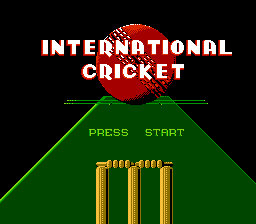
The game loads when you press Play · press “Play Now” inside the game if it asks.
International Cricket (Australia)
International Cricket
Getting to Know International Cricket
- Nintendo Entertainment System
- Sports
- 5· 0 votes
GAME INFO
- Platform
- Nintendo Entertainment System
- Genre
- Sports
- Publisher
- Krome Studios Melbourne
- Developer
- Krome Studios Melbourne
- Released
- 1992
How to play International Cricket online
CONTROLS
Controls
- Arrow Keys — D-Pad / Movement
- X — A button (jump / confirm)
- S — B button (run / attack / cancel)
- Enter — Start / Pause
- V — Select
International Cricket FAQ
Is International Cricket considered easy to pick up or challenging?
The game is generally considered easy to pick up for those familiar with cricket, but it may present a learning curve for newcomers. Understanding the rules of cricket is essential to fully enjoy the gameplay experience.
What makes International Cricket stand out among Nintendo Entertainment System titles of its era?
Its unique focus on cricket sets it apart from other sports games on the NES, which often lean towards more mainstream sports like football or basketball. This specificity may appeal to cricket fans and collectors looking for something different in their game library.
Does International Cricket have a multiplayer or co-op mode?
Information regarding multiplayer capabilities is not widely documented. However, many NES sports games of this era typically included some form of multiplayer, allowing friends to compete against each other.
You may also like
All Nintendo Entertainment System games











GAME INFO
- Platform
- Nintendo Entertainment System
- Genre
- Sports
- Publisher
- Krome Studios Melbourne
- Developer
- Krome Studios Melbourne
- Released
- 1992
COMMENTS (0)
No comments yet. Be the first to share your thoughts.