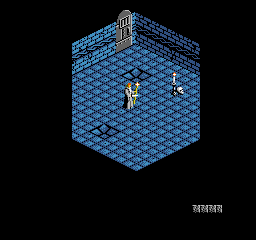
The game loads when you press Play · press “Play Now” inside the game if it asks.
Immortal, The (USA)
Immortal, The
What is Immortal, The?
- Nintendo Entertainment System
- Action
- 5· 0 votes
GAME INFO
- Platform
- Nintendo Entertainment System
- Genre
- Action
- Players
- 1
- Region
- USA
How to play Immortal, The online
CONTROLS
Controls
- Arrow Keys — D-Pad / Movement
- X — A button (jump / confirm)
- S — B button (run / attack / cancel)
- Enter — Start / Pause
- V — Select
Immortal, The FAQ
Is there anything iconic or memorable about Immortal, The?
The game is known for its challenging gameplay and fantasy elements, which were quite popular during the NES era. Its unique blend of action and puzzle-solving mechanics has garnered a niche following among retro gaming enthusiasts.
Is Immortal, The exclusive to Nintendo Entertainment System or did it appear on other systems?
This title is primarily associated with the Nintendo Entertainment System and does not have a significant presence on other platforms. It remains a classic example of NES action-adventure gaming.
What makes Immortal, The stand out among Nintendo Entertainment System titles of its era?
The game distinguishes itself through its combination of action and puzzle-solving, providing a different experience compared to many other NES titles that focused solely on combat. Its challenging gameplay and exploration elements appeal to players looking for a deeper engagement in their gaming experience.
You may also like
All Nintendo Entertainment System games











GAME INFO
- Platform
- Nintendo Entertainment System
- Genre
- Action
- Players
- 1
- Region
- USA
COMMENTS (0)
No comments yet. Be the first to share your thoughts.