The game loads when you press Play · press “Play Now” inside the game if it asks.
I Love Softball (Japan)
I Love Softball
I Love Softball: NES Sports
- Nintendo Entertainment System
- Sports
- 5· 0 votes
I Love Softball is a sports game released for the Nintendo Entertainment System, specifically in Japan. It falls within the realm of sports titles that were popular in the late 1980s and early 1990s. While detailed information about the developer is not widely documented, this game represents the kind of niche sports experience that was common during the NES era.
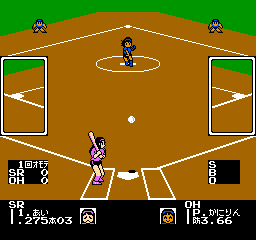
In this game, players engage in softball matches, aiming to score runs and outplay the opposing team. The mechanics typically involve pitching, batting, and fielding, allowing players to experience the dynamics of a softball game. The controls are straightforward, making it easy for players to pick up and enjoy, although the game is primarily aimed at those familiar with the genre.
Despite being a simple title, I Love Softball holds a certain charm that can appeal to retro gaming enthusiasts. It reflects the era's approach to sports games, where gameplay focused on fun rather than realism. While it may not compete with the more well-known sports franchises, it offers a unique experience for collectors and those looking to explore lesser-known titles on the NES.
GAME INFO
- Platform
- Nintendo Entertainment System
- Genre
- Sports
- Publisher
- Coconuts Japan
- Developer
- Marionette Co., Ltd.
- Released
- 1989
- Region
- Japan
How to play I Love Softball online
To get started with I Love Softball, first select your game mode from the main menu. The menus are in Japanese, so it might help to familiarize yourself with basic terms or use online resources for navigation. After choosing your team, you’ll enter the game where you will play a typical softball match.
The core gameplay loop revolves around playing through innings, where you alternate between batting and fielding. Your objective is to score more runs than the opposing team. Pay attention to timing for pitching and batting to maximize your performance. While the graphics and mechanics may seem simple by today's standards, they capture the essence of classic sports gaming on the NES.
CONTROLS
Controls
- Arrow Keys — D-Pad / Movement
- X — A button (jump / confirm)
- S — B button (run / attack / cancel)
- Enter — Start / Pause
- V — Select
I Love Softball FAQ
Does I Love Softball have a multiplayer or co-op mode?
The game does not have a multiplayer or co-op mode, focusing instead on a single-player experience where you can play through various matches.
Is I Love Softball exclusive to Nintendo Entertainment System or did it appear on other systems?
I Love Softball appears to be exclusive to the Nintendo Entertainment System, with no widely documented releases on other platforms.
Who developed I Love Softball?
The developer of I Love Softball is not widely documented, which makes it difficult to attribute the title to a specific team or individual.
You may also like
All Nintendo Entertainment System games











GAME INFO
- Platform
- Nintendo Entertainment System
- Genre
- Sports
- Publisher
- Coconuts Japan
- Developer
- Marionette Co., Ltd.
- Released
- 1989
- Region
- Japan
COMMENTS (0)
No comments yet. Be the first to share your thoughts.