The game loads when you press Play · press “Play Now” inside the game if it asks.
Golf Club - Birdy Rush (Japan)
Golf Club - Birdy Rush
About Golf Club - Birdy Rush
- Nintendo Entertainment System
- Sports
- 5· 0 votes
Golf Club - Birdy Rush (Japan) is a sports game released for the Nintendo Entertainment System. While specific details about its development team are not widely documented, it falls into the golf genre, a popular choice during the NES era. This game is notable for its unique take on the golfing experience, offering a slightly different approach compared to other titles of the time.
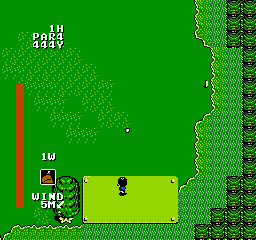
In Golf Club - Birdy Rush, players engage in golf matches where they aim to complete courses with the fewest strokes possible. The gameplay revolves around traditional golf mechanics, including swinging and putting, but it also incorporates elements that add a layer of challenge. Players must navigate various terrains and obstacles, making strategic decisions about their shots to achieve the best score.
This title is worth trying for those who enjoy retro sports games, particularly golf enthusiasts looking for something more obscure. While it may not be as polished or well-known as other golfing titles on the NES, it offers a nostalgic experience that reflects the simplicity and charm of early sports games. For collectors and fans, Golf Club - Birdy Rush represents a slice of gaming history that captures the essence of its genre in the 8-bit era.
GAME INFO
- Platform
- Nintendo Entertainment System
- Genre
- Sports
- Players
- 1
- Region
- Japan
How to play Golf Club - Birdy Rush online
To get started in Golf Club - Birdy Rush, first select your character and course from the main menu. The menus are in Japanese, so you may need to familiarize yourself with the layout or seek online guides for navigation. Once in-game, aim to complete the courses by hitting the ball into the hole with the fewest strokes.
The core loop involves assessing the course layout, choosing your club, and executing your shots with precision. Pay attention to the terrain and wind conditions, as these can affect your ball's trajectory. Practice is key; the more you play, the better you'll understand how to tackle each course effectively.
CONTROLS
Controls
- Arrow Keys — D-Pad / Movement
- X — A button (jump / confirm)
- S — B button (run / attack / cancel)
- Enter — Start / Pause
- V — Select
Golf Club - Birdy Rush FAQ
What type of game is Golf Club - Birdy Rush?
This is a sports game focusing on golf mechanics, where players aim to complete courses in as few strokes as possible.
Is Golf Club - Birdy Rush exclusive to Nintendo Entertainment System or did it appear on other systems?
There is no widely documented evidence that Golf Club - Birdy Rush was released on any other systems; it appears to be exclusive to the NES.
Is Golf Club - Birdy Rush considered easy to pick up or challenging?
The game is generally accessible for new players, but mastering the mechanics and achieving low scores can present a challenge as skill levels increase.
You may also like
All Nintendo Entertainment System games











GAME INFO
- Platform
- Nintendo Entertainment System
- Genre
- Sports
- Players
- 1
- Region
- Japan
COMMENTS (0)
No comments yet. Be the first to share your thoughts.