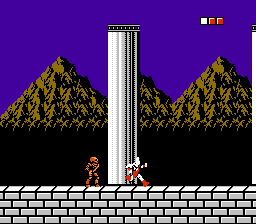
The game loads when you press Play · press “Play Now” inside the game if it asks.
God of War
God of War
Getting to Know God of War
- Nintendo Entertainment System
- Action
- Fan Game
- 5· 0 votes
Unofficial fan game. The notes below come from community sources and have not been verified against the patch itself, so levels, mechanics and features may differ from what is described.
GAME INFO
- Platform
- Nintendo Entertainment System
- Genre
- Action
How to play God of War online
CONTROLS
Controls
- Arrow Keys — D-Pad / Movement
- X — A button (jump / confirm)
- S — B button (run / attack / cancel)
- Enter — Start / Pause
- V — Select
God of War FAQ
Is God of War considered easy to pick up or challenging?
The game is generally considered to have a moderate difficulty, typical of many NES titles. While the controls are straightforward, mastering the enemy patterns can take some practice.
Is God of War exclusive to Nintendo Entertainment System or did it appear on other systems?
This version of God of War is a fan-made hack specifically for the NES and does not have official releases on other platforms. The original God of War series is primarily associated with PlayStation consoles.
In what year was God of War originally released?
The specific release year for this NES version is not widely documented, as it is a fan-made hack. The original God of War franchise began in 2005 on the PlayStation 2.
You may also like
All Nintendo Entertainment System games











GAME INFO
- Platform
- Nintendo Entertainment System
- Genre
- Action
COMMENTS (0)
No comments yet. Be the first to share your thoughts.