CHOOSE A VERSION
2 versions · same consoleChoose an original release, regional version, revision, bootleg or clearly labelled ROM hack/mod, then press Play. Hacks may change the gameplay. Switching versions restarts the player.
Selected: Default · Japan · Japan
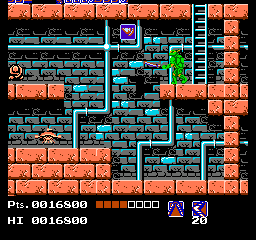
The game loads when you press Play · press “Play Now” inside the game if it asks.
Gekikame Ninja Den (Japan)
Gekikame Ninja Den
Gekikame Ninja Den Overview
- Nintendo Entertainment System
- Action
- 5· 0 votes
GAME INFO
- Platform
- Nintendo Entertainment System
- Genre
- Action
- Publisher
- Ultra Games
- Developer
- Konami
- Released
- 1989
- Region
- Japan
How to play Gekikame Ninja Den online
CONTROLS
Controls
- Arrow Keys — D-Pad / Movement
- X — A button (jump / confirm)
- S — B button (run / attack / cancel)
- Enter — Start / Pause
- V — Select
Gekikame Ninja Den FAQ
Roughly how long does it take to finish Gekikame Ninja Den?
The time it takes to complete Gekikame Ninja Den can vary depending on the player's skill level. Generally, it may take a few hours to finish the game, especially for those unfamiliar with the genre.
Is Gekikame Ninja Den an official release, a fan hack, a prototype, or another kind of build?
Gekikame Ninja Den is an official release exclusive to Japan, showcasing the variety of titles available during the NES era. It is not a fan hack or a prototype.
Who developed Gekikame Ninja Den?
The specific development studio behind Gekikame Ninja Den is not widely documented, which makes it difficult to attribute it to a known developer. The game remains a lesser-known title in the NES library.
You may also like
All Nintendo Entertainment System games











GAME INFO
- Platform
- Nintendo Entertainment System
- Genre
- Action
- Publisher
- Ultra Games
- Developer
- Konami
- Released
- 1989
- Region
- Japan
COMMENTS (0)
No comments yet. Be the first to share your thoughts.