The game loads when you press Play · press “Play Now” inside the game if it asks.
Game Party (Japan)
Game Party
Inside Game Party
- Nintendo Entertainment System
- Action
- 5· 0 votes
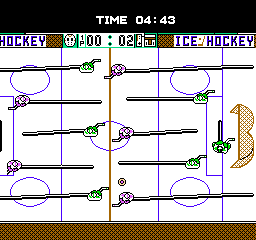
Game Party is a Japan-exclusive title released for the Nintendo Entertainment System. This game is categorized as a party game, which was a popular genre during the NES era, focusing on multiplayer fun and simple, engaging mechanics. The specific developer and publisher information isn't widely documented, making its origins somewhat elusive for collectors and enthusiasts.
In Game Party, players can expect a series of mini-games that test various skills and reflexes. The gameplay typically involves competitive challenges, which can include activities like racing, sports, or other quick-paced tasks. Each mini-game is designed to be accessible, allowing players to jump in without extensive tutorials, which aligns with the social gaming trends of its time.
While Game Party may not be as iconic as other titles on the NES, it offers a glimpse into the party game genre that was gaining traction in the late 80s. Its simplicity makes it a fun choice for casual gaming sessions, especially for those looking to explore lesser-known titles. It provides a nostalgic experience that highlights the social aspect of gaming, making it an interesting pick for retro enthusiasts seeking to expand their collections.
GAME INFO
- Platform
- Nintendo Entertainment System
- Genre
- Action
- Players
- 1-4
- Region
- Japan
How to play Game Party online
Getting started with Game Party involves selecting a mini-game from the main menu, which is presented in Japanese. While navigating the menus may pose a challenge for non-Japanese speakers, familiarizing yourself with the options is key. Once in a mini-game, you'll engage in various challenges that typically require quick reflexes and decision-making.
The core loop revolves around competing in these mini-games, which often last only a few minutes each. Players take turns or compete simultaneously, depending on the game type. Keep an eye on your score and try to outdo your opponents. Since the game is designed for fun and quick play sessions, it works well for gatherings or casual play, making it easy to pick up and enjoy.
CONTROLS
Controls
- Arrow Keys — D-Pad / Movement
- X — A button (jump / confirm)
- S — B button (run / attack / cancel)
- Enter — Start / Pause
- V — Select
Game Party FAQ
What type of game is Game Party?
This title is a party game that features a variety of mini-games designed for competitive play among friends. It emphasizes quick and engaging gameplay typical of the genre.
Is Game Party exclusive to Nintendo Entertainment System or did it appear on other systems?
Game Party was released exclusively for the Nintendo Entertainment System in Japan. It did not see a release on other gaming platforms.
Who developed Game Party?
The specific developer of Game Party is not widely documented, leaving its origins somewhat of a mystery within the retro gaming community.
You may also like
All Nintendo Entertainment System games











GAME INFO
- Platform
- Nintendo Entertainment System
- Genre
- Action
- Players
- 1-4
- Region
- Japan
COMMENTS (0)
No comments yet. Be the first to share your thoughts.