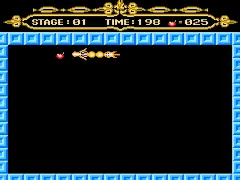
The game loads when you press Play · press “Play Now” inside the game if it asks.
Fire Dragon (Unl)
Fire Dragon
Fire Dragon Overview
- Nintendo Entertainment System
- Action
- Unlicensed
- 5· 0 votes
GAME INFO
- Platform
- Nintendo Entertainment System
- Genre
- Action
How to play Fire Dragon online
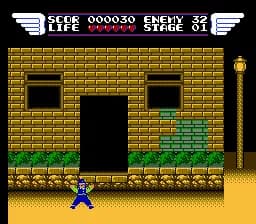
To get started in Fire Dragon (Unl), first launch the game and familiarize yourself with the controls. The objective is to navigate through levels filled with enemies and obstacles. Pay attention to your health and power-ups as you progress, as these will aid you in defeating tougher foes.
The core gameplay loop involves running, jumping, and attacking enemies while avoiding damage. Each level presents unique challenges, so adapting your strategy is crucial. Make sure to explore thoroughly, as hidden items and power-ups can significantly enhance your experience.
CONTROLS
Controls
- Arrow Keys — D-Pad / Movement
- X — A button (jump / confirm)
- S — B button (run / attack / cancel)
- Enter — Start / Pause
- V — Select
Fire Dragon FAQ
Who developed Fire Dragon?
The developer of Fire Dragon is not widely documented, which is common for many unlicensed NES titles.
Can players save progress in Fire Dragon?
There are no known save features in Fire Dragon, which aligns with the design of many unlicensed NES games from that era.
Is Fire Dragon exclusive to Nintendo Entertainment System or did it appear on other systems?
Fire Dragon is primarily known as an unlicensed title for the Nintendo Entertainment System and does not have confirmed releases on other systems.
You may also like
All Nintendo Entertainment System games

GAME INFO
- Platform
- Nintendo Entertainment System
- Genre
- Action
COMMENTS (0)
No comments yet. Be the first to share your thoughts.