The game loads when you press Play · press “Play Now” inside the game if it asks.
Dirty Harry (USA)
Dirty Harry
What is Dirty Harry?
- Nintendo Entertainment System
- Action
- 5· 0 votes
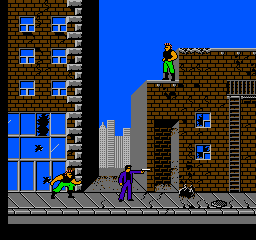
Dirty Harry (USA) is an action game released for the Nintendo Entertainment System. It is based on the popular film franchise and was developed by an unknown team, with its release marking a period when licensed games were becoming more common on home consoles. The game captures the gritty essence of the series, allowing players to experience the world of the iconic character, Harry Callahan.
In this title, players take on the role of Dirty Harry as they navigate through various levels filled with enemies. The gameplay is characterized by side-scrolling action, where players must overcome obstacles and defeat foes using a combination of shooting and melee attacks. Players engage in a series of missions that involve both platforming and combat mechanics, which were typical for action games of the era, providing a mix of challenge and excitement.
While Dirty Harry may not be the most celebrated title on the NES, it holds a place of nostalgia for fans of the franchise. The game offers a unique blend of action and platforming that reflects the genre conventions of its time. For those looking to explore retro games based on films, this title can be a fun experience, though it may not stand out as a top-tier classic compared to more renowned titles from the same period.
GAME INFO
- Platform
- Nintendo Entertainment System
- Genre
- Action
- Publisher
- Mindscape
- Developer
- Mindscape
- Released
- 1990
- Players
- 1
- Region
- USA
How to play Dirty Harry online
To get started in Dirty Harry, select a new game from the main menu. You will control Harry as you move through levels, defeating enemies and completing objectives. The core gameplay loop involves platforming through environments while engaging in combat against various foes.
As you progress, keep an eye on your health and ammunition, as these are crucial for survival. Utilize the jump and attack buttons effectively to navigate obstacles and defeat enemies. Learning enemy patterns and mastering the controls will enhance your gameplay experience, making it easier to tackle the challenges that lie ahead.
CONTROLS
Controls
- Arrow Keys — D-Pad / Movement
- X — A button (jump / confirm)
- S — B button (run / attack / cancel)
- Enter — Start / Pause
- V — Select
Dirty Harry FAQ
Who developed Dirty Harry?
The development team behind Dirty Harry is not widely documented, leaving some uncertainty about its creators.
Is Dirty Harry exclusive to Nintendo Entertainment System or did it appear on other systems?
Dirty Harry is primarily known as an NES title and does not appear to have been released on other systems, making it more unique to this platform.
Can players save progress in Dirty Harry?
The game does not feature a save system, so players will need to complete it in one sitting or use passwords if available.
You may also like
All Nintendo Entertainment System games











GAME INFO
- Platform
- Nintendo Entertainment System
- Genre
- Action
- Publisher
- Mindscape
- Developer
- Mindscape
- Released
- 1990
- Players
- 1
- Region
- USA
COMMENTS (0)
No comments yet. Be the first to share your thoughts.