The game loads when you press Play · press “Play Now” inside the game if it asks.
Sherlock Holmes Consulting Detective Vol. 2
Sherlock Holmes Consulting Detective Vol. 2
What is Sherlock Holmes Consulting Detective Vol. 2?
- NEC TURBOGRAFX CD
- Adventure
- 5· 0 votes
As the player, you read case files, examine photographs, and watch video interviews with suspects and witnesses. The core gameplay involves choosing which locations to visit, which questions to ask, and piecing together evidence in your casebook. There is no real-time pressure; you can take your time to review clues and cross-reference information. The game presents multiple cases, each requiring you to solve a mystery by selecting the correct conclusion from a list of possibilities. Success depends on attentive observation and logical reasoning, not quick reflexes.
Today, Consulting Detective Vol. 2 stands as a charming relic of the early CD-ROM era, when developers experimented with integrating video into games. Its slow pace and heavy reading might not appeal to everyone, but fans of classic point-and-click adventures or Sherlock Holmes will appreciate the authentic period atmosphere and the challenge of untangling each case. Compared to other TurboGrafx CD adventure games, it is more focused on narrative and less on arcade elements, making it a niche but rewarding experience for those who enjoy cerebral puzzles.
GAME INFO
- Platform
- NEC TURBOGRAFX CD
- Genre
- Adventure
- Players
- 1
How to play Sherlock Holmes Consulting Detective Vol. 2 online
Getting Started
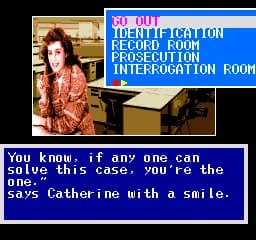
When you start the game, you are presented with a menu of cases. Select one to begin. The game interface shows a main screen with options like "Look," "Talk," "Travel," and "Consult" - these are typical commands in adventure games. Use the D-Pad to highlight an option and press the confirm button (X by default) to select it. The goal is to gather clues by visiting locations, talking to people, and examining evidence. You will also see a casebook icon where you can review collected information.
The core loop involves traveling between locations (each represented by a video clip or still image), speaking with characters (who appear in full-motion video), and deciding which leads to follow. Pay close attention to the dialogue and any documents you find. At certain points, you will be asked to answer questions about the case - your answers determine whether you solve the mystery correctly. If you get stuck, use the "Consult" option to get hints from Watson, but using it may affect your final score. The game expects you to take notes or rely on your memory, as you cannot rewatch most video clips.
Because this version may be in Japanese, the menus and text are likely not translated. However, the interface is simple enough that you can navigate by trial and error: the highlighted option usually responds to the confirm button. Look for kanji that appear in case names or locations - you can still enjoy the video evidence regardless of language. If you are unfamiliar with the original PC release, expect a slow, deliberate pace that rewards patience and observation.
CONTROLS
Controls
- Arrow Keys: D-Pad / Movement
- X: I button
- S: II button
- Enter: Run / Start
- V: Select
Sherlock Holmes Consulting Detective Vol. 2 FAQ
Roughly how long does it take to finish Sherlock Holmes Consulting Detective Vol. 2?
A playthrough typically takes between 5 and 8 hours, depending on how thoroughly you explore each case and whether you need to replay sections. Completing all cases with perfect scores will take longer.
In what year was Sherlock Holmes Consulting Detective Vol. 2 originally released?
The original PC release was in 1992. The exact release year for the TurboGrafx CD version is not widely documented, but it likely came out around 1993 or 1994.
Who developed Sherlock Holmes Consulting Detective Vol. 2?
The developer is not widely documented for this specific port. The original PC version was developed by ICOM Simulations, but it is unclear if that studio handled the TurboGrafx CD adaptation.
You may also like
All NEC TURBOGRAFX CD games



GAME INFO
- Platform
- NEC TURBOGRAFX CD
- Genre
- Adventure
- Players
- 1
COMMENTS (0)
No comments yet. Be the first to share your thoughts.