CHOOSE A VERSION
5 versions · same consoleChoose an original release, regional version, revision, bootleg or clearly labelled ROM hack/mod, then press Play. Hacks may change the gameplay. Switching versions restarts the player.
Selected: Default · USA · USA
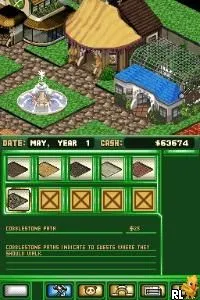
The game loads when you press Play · press “Play Now” inside the game if it asks.
Zoo Tycoon DS (USA)
Zoo Tycoon DS
What is Zoo Tycoon DS?
- Nintendo DS
- Simulation
- 5· 0 votes
GAME INFO
- Platform
- Nintendo DS
- Genre
- Simulation
- Publisher
- THQ
- Developer
- THQ
- Released
- 2005
- Players
- 1
- Region
- USA
How to play Zoo Tycoon DS online
CONTROLS
Controls
- Arrow Keys — D-Pad / Movement
- X — A button
- S — B button
- Z — Y button
- A — X button
- Q — L shoulder
- E — R shoulder
- Enter — Start
- V — Select
Zoo Tycoon DS FAQ
Is Zoo Tycoon DS exclusive to Nintendo DS or did it appear on other systems?
Zoo Tycoon DS is exclusive to the Nintendo DS and did not appear on other systems. The game was specifically designed for the handheld platform to take advantage of its unique features.
Roughly how long does it take to finish Zoo Tycoon DS?
The time it takes to finish Zoo Tycoon DS can vary depending on the player's approach. Generally, completing the main objectives may take several hours, but the game encourages exploration and creativity, which can extend gameplay significantly.
Who developed Zoo Tycoon DS?
Zoo Tycoon DS was developed by Blue Fang Games, a studio known for its work on the Zoo Tycoon franchise. They aimed to adapt the core gameplay experience for the Nintendo DS while retaining its charm and appeal.
You may also like
All Nintendo DS games











GAME INFO
- Platform
- Nintendo DS
- Genre
- Simulation
- Publisher
- THQ
- Developer
- THQ
- Released
- 2005
- Players
- 1
- Region
- USA
COMMENTS (0)
No comments yet. Be the first to share your thoughts.