CHOOSE A VERSION
2 versions · same consoleChoose an original release, regional version, revision, bootleg or clearly labelled ROM hack/mod, then press Play. Hacks may change the gameplay. Switching versions restarts the player.
Selected: Default · USA · USA
The game loads when you press Play · press “Play Now” inside the game if it asks.
Zoo Quest - Puzzle Fun! (USA)
Zoo Quest - Puzzle Fun!
Zoo Quest - Puzzle Fun! on NDS
- Nintendo DS
- Puzzle
- 5· 0 votes
Zoo Quest - Puzzle Fun! is a puzzle game released for the Nintendo DS platform. This title, while not extensively documented, falls into the category of casual puzzle games that were popular during the DS era. Players often enjoyed such games for their accessibility and engaging mechanics, making them appealing to a wide audience.
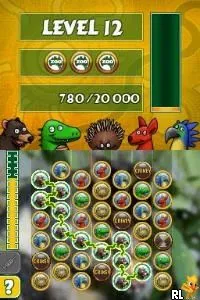
In Zoo Quest - Puzzle Fun!, players engage in various puzzle challenges that revolve around the theme of animals and their habitats. The gameplay typically involves matching elements, solving logic-based puzzles, or navigating through levels filled with obstacles. The mechanics are designed to keep the player entertained while also providing a sense of accomplishment as they progress through the game.
Today, Zoo Quest - Puzzle Fun! holds a niche appeal for those who appreciate simple yet enjoyable puzzle games. It may not have the depth of some more recognized titles, but it offers a lighthearted experience that can be a nice break from more complex gaming sessions. For fans of the genre or those looking to explore lesser-known DS titles, it can be a fun addition to their collection.
GAME INFO
- Platform
- Nintendo DS
- Genre
- Puzzle
- Players
- 1
- Region
- USA
How to play Zoo Quest - Puzzle Fun! online
Getting started in Zoo Quest - Puzzle Fun! involves selecting a game mode from the main menu, where you can choose your preferred puzzle challenges. The core gameplay loop centers around solving puzzles using the Nintendo DS touchscreen, which often requires tapping and dragging elements to achieve your objectives. Understanding the layout and mechanics is key to progressing through various levels.
As you dive into the puzzles, pay attention to the unique challenges presented in each stage. Completing puzzles typically rewards you with points or unlocks new levels, keeping the gameplay engaging. Familiarizing yourself with the control scheme will enhance your experience, ensuring you can navigate through the challenges smoothly.
CONTROLS
Controls
- Arrow Keys — D-Pad / Movement
- X — A button
- S — B button
- Z — Y button
- A — X button
- Q — L shoulder
- E — R shoulder
- Enter — Start
- V — Select
Zoo Quest - Puzzle Fun! FAQ
What type of game is Zoo Quest - Puzzle Fun!?
A puzzle game that incorporates various challenges themed around animals and their environments.
Is Zoo Quest - Puzzle Fun! exclusive to Nintendo DS or did it appear on other systems?
This title is primarily known for its release on the Nintendo DS and does not have documented appearances on other systems.
Is Zoo Quest - Puzzle Fun! considered easy to pick up or challenging?
The game is designed to be accessible, making it easy for newcomers to understand while still providing enjoyable challenges for more experienced players.
You may also like
All Nintendo DS games











GAME INFO
- Platform
- Nintendo DS
- Genre
- Puzzle
- Players
- 1
- Region
- USA
COMMENTS (0)
No comments yet. Be the first to share your thoughts.