The game loads when you press Play · press “Play Now” inside the game if it asks.
Zettai Zetsumei Dangerous Jiisan DS - Dangerous Sensation (Japan)
Zettai Zetsumei Dangerous Jiisan DS - Dangerous Sensation
Inside Zettai Zetsumei Dangerous Jiisan DS - Dangerous Sensation
- Nintendo DS
- Action
- 5· 0 votes
GAME INFO
- Platform
- Nintendo DS
- Genre
- Action
- Players
- 1
- Region
- Japan
How to play Zettai Zetsumei Dangerous Jiisan DS - Dangerous Sensation online
CONTROLS
Controls
- Arrow Keys — D-Pad / Movement
- X — A button
- S — B button
- Z — Y button
- A — X button
- Q — L shoulder
- E — R shoulder
- Enter — Start
- V — Select
Zettai Zetsumei Dangerous Jiisan DS - Dangerous Sensation FAQ
Is there anything iconic or memorable about Zettai Zetsumei Dangerous Jiisan DS - Dangerous Sensation?
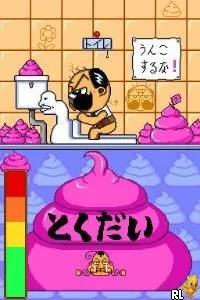
The game is known for its unique blend of humor and action, featuring an elderly protagonist in absurdly dangerous situations. Its quirky premise and art style give it a memorable charm that resonates with fans of niche Japanese titles.
What makes Zettai Zetsumei Dangerous Jiisan DS - Dangerous Sensation stand out among Nintendo DS titles of its era?
The game's unusual theme and engaging gameplay mechanics set it apart from many mainstream titles of the time. It offers a refreshing experience that showcases the creativity of Japanese game developers.
Is Zettai Zetsumei Dangerous Jiisan DS - Dangerous Sensation exclusive to Nintendo DS or did it appear on other systems?
This game was released exclusively for the Nintendo DS and has not been ported to other systems. Its unique design and gameplay are tailored specifically for the DS platform.
You may also like
All Nintendo DS games











GAME INFO
- Platform
- Nintendo DS
- Genre
- Action
- Players
- 1
- Region
- Japan
COMMENTS (0)
No comments yet. Be the first to share your thoughts.