CHOOSE A VERSION
2 versions · same consoleChoose an original release, regional version, revision, bootleg or clearly labelled ROM hack/mod, then press Play. Hacks may change the gameplay. Switching versions restarts the player.
Selected: Default · USA · En,Fr,Es · USA
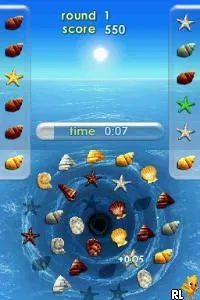
The game loads when you press Play · press “Play Now” inside the game if it asks.
Zenses - Ocean (USA) (En,Fr,Es)
Zenses - Ocean
Zenses - Ocean on NDS
- Nintendo DS
- Puzzle
- 5· 0 votes
GAME INFO
- Platform
- Nintendo DS
- Genre
- Puzzle
- Players
- 1
- Region
- USA
How to play Zenses - Ocean online
Getting started in Zenses - Ocean is straightforward. Upon launching the game, players are greeted with a menu that allows them to choose from various mini-games centered around ocean themes. The core loop involves selecting a mini-game, completing tasks, and earning points, which can be used to unlock additional content or features within the game.
CONTROLS
Controls
- Arrow Keys — D-Pad / Movement
- X — A button
- S — B button
- Z — Y button
- A — X button
- Q — L shoulder
- E — R shoulder
- Enter — Start
- V — Select
Zenses - Ocean FAQ
Does Zenses - Ocean have a multiplayer or co-op mode?
There is no multiplayer or co-op mode in Zenses - Ocean. The game is designed for single-player experiences, focusing on individual relaxation and puzzle-solving.
Is Zenses - Ocean exclusive to Nintendo DS or did it appear on other systems?
This title is primarily available on the Nintendo DS. There are no widely documented versions of the game on other platforms.
Who developed Zenses - Ocean?
The developer of Zenses - Ocean is not widely documented, but the game is known for its casual gaming focus, typical of titles released during that era.
You may also like
All Nintendo DS games











GAME INFO
- Platform
- Nintendo DS
- Genre
- Puzzle
- Players
- 1
- Region
- USA
COMMENTS (0)
No comments yet. Be the first to share your thoughts.