CHOOSE A VERSION
3 versions · same consoleChoose an original release, regional version, revision, bootleg or clearly labelled ROM hack/mod, then press Play. Hacks may change the gameplay. Switching versions restarts the player.
Selected: Default · USA · USA
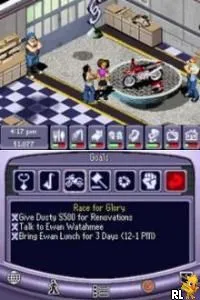
The game loads when you press Play · press “Play Now” inside the game if it asks.
Urbz, The - Sims in the City (USA)
Urbz, The - Sims in the City
Urbz, The - Sims in the City - Simulation Classic
- Nintendo DS
- Simulation
- 5· 0 votes
GAME INFO
- Platform
- Nintendo DS
- Genre
- Simulation
- Released
- 2005
- Players
- 1
- Region
- USA
How to play Urbz, The - Sims in the City online
CONTROLS
Controls
- Arrow Keys — D-Pad / Movement
- X — A button
- S — B button
- Z — Y button
- A — X button
- Q — L shoulder
- E — R shoulder
- Enter — Start
- V — Select
Urbz, The - Sims in the City FAQ
Is Urbz, The - Sims in the City an official release, a fan hack, a prototype, or another kind of build?
This game is an official release within the Sims franchise, developed by Maxis and published by Electronic Arts. It was designed specifically for the Nintendo DS platform.
Is Urbz, The - Sims in the City considered easy to pick up or challenging?
The game is generally easy to pick up, especially for fans of the Sims series. Its casual gameplay and approachable mechanics make it accessible to a wide audience, though some tasks may require strategy and planning.
In what year was Urbz, The - Sims in the City originally released?
Urbz, The - Sims in the City was originally released in 2005. This release was part of a broader effort to expand the Sims franchise into different gaming platforms, including handheld devices.
You may also like
All Nintendo DS games











GAME INFO
- Platform
- Nintendo DS
- Genre
- Simulation
- Released
- 2005
- Players
- 1
- Region
- USA
COMMENTS (0)
No comments yet. Be the first to share your thoughts.