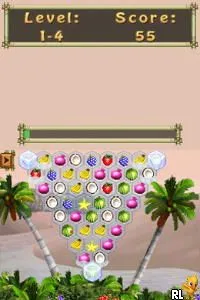
The game loads when you press Play · press “Play Now” inside the game if it asks.
Tropix! ...Your Island Getaway (USA) (En,Fr,De,Es,It)
Tropix! ...Your Island Getaway
What is Tropix! ...Your Island Getaway?
- Nintendo DS
- Puzzle
- 5· 0 votes
GAME INFO
- Platform
- Nintendo DS
- Genre
- Puzzle
- Players
- 1
- Region
- USA
How to play Tropix! ...Your Island Getaway online
To get started with Tropix!, begin by selecting your preferred mini-game from the main menu. Each mini-game will present a different challenge, so feel free to try a few to see which ones you enjoy the most. As you complete games, you’ll earn points and unlock additional content, enhancing your experience.
The core loop involves playing mini-games to accumulate points while aiming to unlock new challenges and rewards. Pay attention to the mechanics of each mini-game, as they vary significantly. Familiarizing yourself with the controls and game objectives will help you excel and keep the gameplay fun and engaging.
CONTROLS
Controls
- Arrow Keys — D-Pad / Movement
- X — A button
- S — B button
- Z — Y button
- A — X button
- Q — L shoulder
- E — R shoulder
- Enter — Start
- V — Select
Tropix! ...Your Island Getaway FAQ
Roughly how long does it take to finish Tropix! ...Your Island Getaway?
Completion time can vary widely based on how much you play each mini-game and your skill level. Generally, players can enjoy the game for several hours, but it is designed for shorter play sessions.
Does Tropix! ...Your Island Getaway have a multiplayer or co-op mode?
This title does not feature a multiplayer or co-op mode. It is primarily designed for single-player experiences, focusing on individual mini-game challenges.
Who developed Tropix! ...Your Island Getaway?
The specific developer of Tropix! ...Your Island Getaway is not widely documented. It falls under the casual genre typical of many titles on the Nintendo DS.
You may also like
All Nintendo DS games











GAME INFO
- Platform
- Nintendo DS
- Genre
- Puzzle
- Players
- 1
- Region
- USA
COMMENTS (0)
No comments yet. Be the first to share your thoughts.