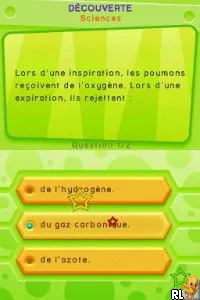
The game loads when you press Play · press “Play Now” inside the game if it asks.
Tout pour Reussir CP (France)
Tout pour Reussir CP
Tout pour Reussir CP Overview
- Nintendo DS
- Educational
- 5· 0 votes
GAME INFO
- Platform
- Nintendo DS
- Genre
- Educational
- Players
- 1
- Region
- Europe
How to play Tout pour Reussir CP online
CONTROLS
Controls
- Arrow Keys — D-Pad / Movement
- X — A button
- S — B button
- Z — Y button
- A — X button
- Q — L shoulder
- E — R shoulder
- Enter — Start
- V — Select
Tout pour Reussir CP FAQ
Is Tout pour Reussir CP considered easy to pick up or challenging?
The game is generally regarded as easy to pick up, especially for its intended audience of young children. Its straightforward mechanics and guided tutorials help players understand how to engage with the educational content without feeling overwhelmed.
Does Tout pour Reussir CP have a multiplayer or co-op mode?
There is no multiplayer or co-op mode in Tout pour Reussir CP. The game is designed for single-player experiences, focusing on individual learning rather than cooperative gameplay.
Is Tout pour Reussir CP exclusive to Nintendo DS or did it appear on other systems?
This title is specific to the Nintendo DS and did not appear on other gaming platforms. It was created to take advantage of the DS's unique features, particularly the touch screen, which enhances the educational experience.
You may also like
All Nintendo DS games











GAME INFO
- Platform
- Nintendo DS
- Genre
- Educational
- Players
- 1
- Region
- Europe
COMMENTS (0)
No comments yet. Be the first to share your thoughts.