The game loads when you press Play · press “Play Now” inside the game if it asks.
Tout pour Reussir CE1 (France)
Tout pour Reussir CE1
Tout pour Reussir CE1 Overview
- Nintendo DS
- Educational
- 5· 0 votes
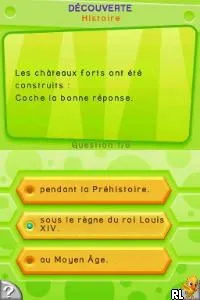
Tout pour Reussir CE1 (France) is an educational game designed for the Nintendo DS, aimed at young learners in the first grade. Released in the mid-2000s, it was developed specifically for the French market, targeting the CE1 curriculum. This title stands out in the educational genre, providing a platform for children to enhance their learning through interactive gameplay.
In this game, players engage in various educational activities that cover essential subjects like math, reading, and writing. The gameplay revolves around solving problems and completing exercises that are tailored to reinforce the skills necessary for first-grade students. The interface is kid-friendly, encouraging exploration and learning through fun challenges that adapt to the player's progress.
What makes Tout pour Reussir CE1 worth trying today is its nostalgic value for those who grew up in the era of the DS and its focus on educational content. While it may not be as widely recognized as other titles, it provides a unique experience for parents looking to introduce their children to learning games. Compared to other educational games of its time, it maintains a straightforward approach, making it accessible and engaging for young players.
GAME INFO
- Platform
- Nintendo DS
- Genre
- Educational
- Players
- 1
- Region
- Europe
How to play Tout pour Reussir CE1 online
Getting started in Tout pour Reussir CE1 is quite simple. Upon launching the game, you will be greeted with a menu where you can select different learning activities. Choose an exercise that interests you, and you'll be taken to a screen where you can begin interacting with the educational content.
The core loop revolves around completing various tasks that help reinforce the skills being taught. As you progress, you will encounter different types of questions and challenges that will test your understanding of the material. Pay attention to the feedback provided after each task, as it will guide you on how well you are doing and what areas you may need to focus on more.
CONTROLS
Controls
- Arrow Keys — D-Pad / Movement
- X — A button
- S — B button
- Z — Y button
- A — X button
- Q — L shoulder
- E — R shoulder
- Enter — Start
- V — Select
Tout pour Reussir CE1 FAQ
Does Tout pour Reussir CE1 have a multiplayer or co-op mode?
There is no multiplayer or co-op mode in Tout pour Reussir CE1. The game is designed as a single-player experience focused on individual learning.
Which regions was Tout pour Reussir CE1 released in?
This title was primarily released in France, targeting the local educational system. Information about any other regional releases is not widely documented.
Roughly how long does it take to finish Tout pour Reussir CE1?
The time to finish Tout pour Reussir CE1 can vary depending on the player's pace and engagement with the content. Generally, completing all activities could take several hours, but it’s designed for repeated play for ongoing learning.
You may also like
All Nintendo DS games











GAME INFO
- Platform
- Nintendo DS
- Genre
- Educational
- Players
- 1
- Region
- Europe
COMMENTS (0)
No comments yet. Be the first to share your thoughts.