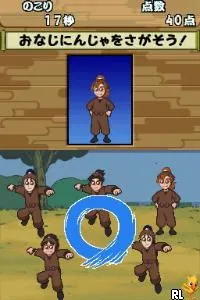
The game loads when you press Play · press “Play Now” inside the game if it asks.
Tennis no Ouji-sama - Doubles no Ouji-sama - Boys, Be Glorious! (Japan)
Tennis no Ouji-sama - Doubles no Ouji-sama - Boys, Be Glorious!
About Tennis no Ouji-sama - Doubles no Ouji-sama - Boys, Be Glorious!
- Nintendo DS
- Sports
- 5· 0 votes
GAME INFO
- Platform
- Nintendo DS
- Genre
- Sports
- Released
- 2006
- Players
- 1-2
- Region
- Japan
How to play Tennis no Ouji-sama - Doubles no Ouji-sama - Boys, Be Glorious! online
To get started, select your character and partner from the available roster. The game has a simple interface, but being a Japanese-only release, you may need to familiarize yourself with the Japanese menus. The core gameplay loop revolves around engaging in matches, where you will compete against other teams and improve your skills.
CONTROLS
Controls
- Arrow Keys — D-Pad / Movement
- X — A button
- S — B button
- Z — Y button
- A — X button
- Q — L shoulder
- E — R shoulder
- Enter — Start
- V — Select
Tennis no Ouji-sama - Doubles no Ouji-sama - Boys, Be Glorious! FAQ
Is Tennis no Ouji-sama - Doubles no Ouji-sama - Boys, Be Glorious! an official release, a fan hack, a prototype, or another kind of build?
This title is an official release from Konami, based on the popular Prince of Tennis franchise. It was specifically developed for the Nintendo DS and is not a fan hack or prototype.
Can players save progress in Tennis no Ouji-sama - Doubles no Ouji-sama - Boys, Be Glorious!?
The game includes save functionality, allowing players to save their progress after matches or when navigating through menus. This feature is essential for players who wish to continue their journey later.
Who developed Tennis no Ouji-sama - Doubles no Ouji-sama - Boys, Be Glorious!?
Konami is the developer behind this title, well-known for their work in the sports genre and for creating games based on popular franchises. Their experience shines through in the gameplay mechanics and character design.
You may also like
All Nintendo DS games











GAME INFO
- Platform
- Nintendo DS
- Genre
- Sports
- Released
- 2006
- Players
- 1-2
- Region
- Japan
COMMENTS (0)
No comments yet. Be the first to share your thoughts.