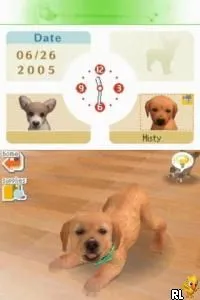
The game loads when you press Play · press “Play Now” inside the game if it asks.
Tamagotch no Narikiri Challenge (Japan)
Tamagotch no Narikiri Challenge
What is Tamagotch no Narikiri Challenge?
- Nintendo DS
- Simulation
- 5· 0 votes
GAME INFO
- Platform
- Nintendo DS
- Genre
- Simulation
- Players
- 1
- Region
- Japan
How to play Tamagotch no Narikiri Challenge online
Getting started with Tamagotch no Narikiri Challenge involves navigating through the main menu, which is primarily in Japanese. Players will need to familiarize themselves with the layout as they select mini-games and challenges. The core loop revolves around completing these tasks to improve the happiness and health of their Tamagotchi, which requires a balance of strategy and timing.
CONTROLS
Controls
- Arrow Keys — D-Pad / Movement
- X — A button
- S — B button
- Z — Y button
- A — X button
- Q — L shoulder
- E — R shoulder
- Enter — Start
- V — Select
Tamagotch no Narikiri Challenge FAQ
Who developed Tamagotch no Narikiri Challenge?
The developer of Tamagotch no Narikiri Challenge is not widely documented. However, it is associated with the broader Tamagotchi franchise, which has seen various adaptations and games.
Is there anything iconic or memorable about Tamagotch no Narikiri Challenge?
This title is memorable for its unique approach to the Tamagotchi concept, incorporating a series of mini-games that reflect the care and management of virtual pets. It showcases the charm of Tamagotchis, which were a significant cultural phenomenon in the early 2000s.
Roughly how long does it take to finish Tamagotch no Narikiri Challenge?
The time to finish Tamagotch no Narikiri Challenge can vary significantly based on the player's skill and familiarity with the mini-games. Generally, players might spend several hours exploring the various challenges offered in the game.
You may also like
All Nintendo DS games











GAME INFO
- Platform
- Nintendo DS
- Genre
- Simulation
- Players
- 1
- Region
- Japan
COMMENTS (0)
No comments yet. Be the first to share your thoughts.