The game loads when you press Play · press “Play Now” inside the game if it asks.
Tactical Guild (Japan)
Tactical Guild
About Tactical Guild
- Nintendo DS
- RPG
- 5· 0 votes
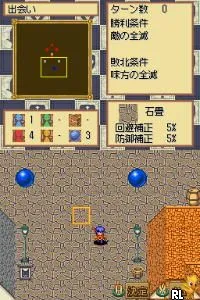
Tactical Guild is a strategic RPG developed for the Nintendo DS, released exclusively in Japan. While specific details about its developer are not widely documented, it fits into the tactical genre, which was popular during the DS era. The game incorporates elements typical of the genre, such as grid-based movement and turn-based combat, appealing to fans of strategic gameplay.
In Tactical Guild, players engage in tactical battles on a grid, commanding a team of characters with unique abilities. The gameplay revolves around positioning and strategy, as players must carefully plan their moves to outmaneuver opponents. Each character has distinct skills that can influence the outcome of battles, making careful selection and planning crucial to success.
This title may not be as well-known as some other RPGs of its time, but it offers a unique experience for fans of tactical games. Its niche appeal lies in its mechanics and the strategic depth it provides, which can be a refreshing change for players familiar with more mainstream titles. While it might not attract a broad audience, those who enjoy tactical RPGs will likely find it a worthwhile addition to their collection.
GAME INFO
- Platform
- Nintendo DS
- Genre
- RPG
- Region
- Japan
How to play Tactical Guild online
Getting started with Tactical Guild involves navigating the menus, which are exclusively in Japanese. Players will first need to familiarize themselves with the interface to set up their team and begin battles. The core loop involves selecting characters, engaging in turn-based combat, and strategizing movements on a grid.
As you dive deeper into the game, pay attention to the unique abilities of each character. Understanding how to leverage these skills effectively against opponents is key to progressing. Although the game may present a language barrier, the strategic mechanics will resonate with those who enjoy tactical RPGs, making it a rewarding experience.
CONTROLS
Controls
- Arrow Keys — D-Pad / Movement
- X — A button
- S — B button
- Z — Y button
- A — X button
- Q — L shoulder
- E — R shoulder
- Enter — Start
- V — Select
Tactical Guild FAQ
Is Tactical Guild an official release, a fan hack, a prototype, or another kind of build?
This game is an official release for the Nintendo DS, specifically developed for the Japanese market.
Is Tactical Guild exclusive to Nintendo DS or did it appear on other systems?
Tactical Guild is exclusive to the Nintendo DS and has not been released on any other platforms.
What type of game is Tactical Guild?
Tactical Guild is a tactical RPG that emphasizes strategic gameplay and turn-based combat mechanics.
You may also like
All Nintendo DS games











GAME INFO
- Platform
- Nintendo DS
- Genre
- RPG
- Region
- Japan
COMMENTS (0)
No comments yet. Be the first to share your thoughts.