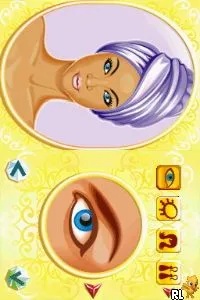
The game loads when you press Play · press “Play Now” inside the game if it asks.
Supermodel Makeover by Lauren Luke (Europe) (En,Fr,De,It)
Supermodel Makeover by Lauren Luke
Supermodel Makeover by Lauren Luke: NDS Simulation
- Nintendo DS
- Simulation
- 5· 0 votes
GAME INFO
- Platform
- Nintendo DS
- Genre
- Simulation
- Players
- 1
- Region
- Europe
How to play Supermodel Makeover by Lauren Luke online
Getting started with Supermodel Makeover involves selecting a character and diving into the makeover process. Players will first choose from various makeup styles and accessories, allowing for a personalized touch. The core loop revolves around experimenting with different looks, making it essential to explore the options available in each category.
CONTROLS
Controls
- Arrow Keys — D-Pad / Movement
- X — A button
- S — B button
- Z — Y button
- A — X button
- Q — L shoulder
- E — R shoulder
- Enter — Start
- V — Select
Supermodel Makeover by Lauren Luke FAQ
Who developed Supermodel Makeover by Lauren Luke?
The developer of Supermodel Makeover by Lauren Luke is not widely documented, leaving uncertainty about the studio behind the game.
Is there anything iconic or memorable about Supermodel Makeover by Lauren Luke?
The game is notable for its connection to Lauren Luke, a prominent figure in the beauty community, which may resonate with fans of her work.
Is Supermodel Makeover by Lauren Luke considered easy to pick up or challenging?
The gameplay is generally accessible, making it easy for players to pick up and enjoy without a steep learning curve.
You may also like
All Nintendo DS games











GAME INFO
- Platform
- Nintendo DS
- Genre
- Simulation
- Players
- 1
- Region
- Europe
COMMENTS (0)
No comments yet. Be the first to share your thoughts.