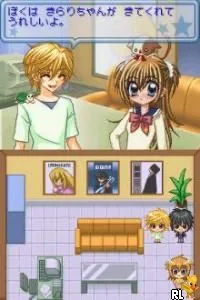
The game loads when you press Play · press “Play Now” inside the game if it asks.
Super Star Kartz (USA) (En,Fr)
Super Star Kartz
Super Star Kartz on NDS
- Nintendo DS
- Racing
- ROM Hack
- 5· 0 votes
Unofficial ROM hack. The notes below come from community sources and have not been verified against the patch itself, so levels, mechanics and features may differ from what is described.
GAME INFO
- Platform
- Nintendo DS
- Genre
- Racing
- Players
- 1-4
- Region
- USA
How to play Super Star Kartz online
To get started in Super Star Kartz, select your character and kart from the menu. After that, choose a race track to compete on. The game typically features a series of races where players must complete laps while navigating through various obstacles and utilizing power-ups.
The core gameplay loop involves racing against other characters, using items strategically to gain advantages. Players should familiarize themselves with track layouts and item usage to improve their chances of winning. Practice makes perfect, and understanding the mechanics will enhance the overall experience.
CONTROLS
Controls
- Arrow Keys — D-Pad / Movement
- X — A button
- S — B button
- Z — Y button
- A — X button
- Q — L shoulder
- E — R shoulder
- Enter — Start
- V — Select
Super Star Kartz FAQ
Who developed Super Star Kartz?
Information about the developer of Super Star Kartz is not widely documented.
Is Super Star Kartz considered easy to pick up or challenging?
The game is generally regarded as accessible for new players, but mastering the tracks and item usage can present a challenge.
What type of game is Super Star Kartz?
This title is a racing game, focusing on kart-style racing mechanics that include item collection and competitive racing.
You may also like
All Nintendo DS games











GAME INFO
- Platform
- Nintendo DS
- Genre
- Racing
- Players
- 1-4
- Region
- USA
COMMENTS (0)
No comments yet. Be the first to share your thoughts.