CHOOSE A VERSION
2 versions · same consoleChoose an original release, regional version, revision, bootleg or clearly labelled ROM hack/mod, then press Play. Hacks may change the gameplay. Switching versions restarts the player.
Selected: Default · USA · USA
The game loads when you press Play · press “Play Now” inside the game if it asks.
Steal Princess (USA)
Steal Princess
Getting to Know Steal Princess
- Nintendo DS
- Action
- 5· 0 votes
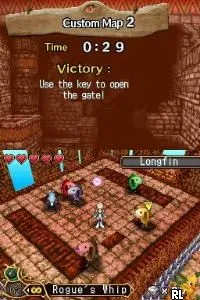
Steal Princess (USA) is a unique action-adventure game released for the Nintendo DS. Developed by a lesser-known team, it was launched in the USA during the platform's heyday in the late 2000s. The game is recognized for its innovative mechanics, blending traditional platforming elements with puzzle-solving in a whimsical setting.
In Steal Princess, players control a character tasked with navigating through various levels filled with enemies and obstacles. The gameplay revolves around using stealth and strategy to overcome challenges, often requiring players to think critically about their approach. The game incorporates a mix of combat and puzzle mechanics, making it engaging for those who enjoy a blend of action and cerebral gameplay.
This title holds a special place in the Nintendo DS library, appealing to fans of both platformers and adventure games. While it may not have the widespread recognition of some blockbuster titles, its charm and unique gameplay mechanics offer a refreshing experience for retro gaming enthusiasts. It stands as a hidden gem that showcases the creativity often found in lesser-known titles of the era, making it worth a try for those looking to explore beyond the mainstream classics.
GAME INFO
- Platform
- Nintendo DS
- Genre
- Action
- Publisher
- Marvelous Entertainment
- Developer
- Climax Entertainment
- Released
- 2008
- Players
- 1
- Region
- USA
How to play Steal Princess online
To get started in Steal Princess, begin by familiarizing yourself with the controls and the game mechanics. The initial levels serve as tutorials, introducing you to the environment and basic actions like jumping and attacking. Pay attention to the layout of the levels, as they often contain hidden paths and items that can aid your progress.
As you advance, the core loop involves navigating through levels, defeating enemies, and solving puzzles. Keep an eye out for clues and items that can help you unlock new areas or enhance your abilities. The game encourages exploration and experimentation, so don’t hesitate to try different strategies to overcome obstacles.
CONTROLS
Controls
- Arrow Keys — D-Pad / Movement
- X — A button
- S — B button
- Z — Y button
- A — X button
- Q — L shoulder
- E — R shoulder
- Enter — Start
- V — Select
Steal Princess FAQ
Who developed Steal Princess?
Information about the specific developer is not widely documented.
Does Steal Princess have a multiplayer or co-op mode?
The game does not feature a multiplayer or co-op mode, focusing instead on a single-player experience.
Is Steal Princess considered easy to pick up or challenging?
Many players find the game accessible at first, but it can present challenges as you progress, requiring strategic thinking and problem-solving skills.
You may also like
All Nintendo DS games











GAME INFO
- Platform
- Nintendo DS
- Genre
- Action
- Publisher
- Marvelous Entertainment
- Developer
- Climax Entertainment
- Released
- 2008
- Players
- 1
- Region
- USA
COMMENTS (0)
No comments yet. Be the first to share your thoughts.