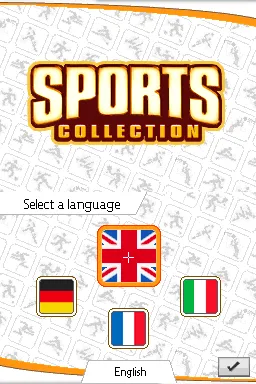
The game loads when you press Play · press “Play Now” inside the game if it asks.
Sports Collection (Europe) (En,Fr,De,It)
Sports Collection
Sports Collection: NDS Sports
- Nintendo DS
- Sports
- Compilation
- 5· 0 votes
GAME INFO
- Platform
- Nintendo DS
- Genre
- Sports
- Players
- 1-4
- Region
- Europe
How to play Sports Collection online
To get started with Sports Collection, choose a mini-game from the main menu. Each game varies in mechanics, often requiring players to use the stylus or buttons for control. Familiarize yourself with the rules of each sport, as they can differ significantly from one mini-game to another.
The core loop involves selecting a game, playing through its challenges, and aiming for high scores. Engaging with friends or family can add a competitive edge, making it a fun way to enjoy a variety of sports experiences without the need for extensive commitment.
CONTROLS
Controls
- Arrow Keys — D-Pad / Movement
- X — A button
- S — B button
- Z — Y button
- A — X button
- Q — L shoulder
- E — R shoulder
- Enter — Start
- V — Select
Sports Collection FAQ
Who developed Sports Collection?
The developer information for Sports Collection is not widely documented, making it difficult to provide a specific name.
What type of game is Sports Collection?
This title is a compilation of various sports mini-games, offering a collection of quick and engaging gameplay experiences centered around different sports.
Which regions was Sports Collection released in?
Sports Collection was released in the European region, featuring multiple language options including English, French, German, and Italian.
You may also like
All Nintendo DS games
GAME INFO
- Platform
- Nintendo DS
- Genre
- Sports
- Players
- 1-4
- Region
- Europe
COMMENTS (0)
No comments yet. Be the first to share your thoughts.