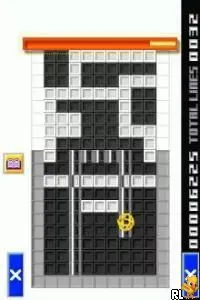
The game loads when you press Play · press “Play Now” inside the game if it asks.
Smart Kid's Mega Game Mix (USA)
Smart Kid's Mega Game Mix
Smart Kid's Mega Game Mix: NDS Educational
- Nintendo DS
- Educational
- 5· 0 votes
Smart Kid's Mega Game Mix (USA) is an educational compilation game released for the Nintendo DS. This title falls under the educational genre and aims to provide fun learning experiences for younger players. Unfortunately, specific details about the developer and publisher are not widely documented, leaving fans curious about its origins and development process.
In this game, players engage with a variety of mini-games designed to teach and reinforce essential skills. These games typically cover subjects like math, reading, and problem-solving, blending education with entertainment. Players navigate through different challenges, aiming to achieve high scores and unlock new content as they progress.
The appeal of Smart Kid's Mega Game Mix lies in its ability to offer a range of learning experiences in a playful format. While it may not be as well-known or groundbreaking as other titles of its era, it serves a niche purpose by catering to younger audiences and parents looking for educational resources. Compared to other educational games on the DS, it provides a light-hearted approach to learning that can be enjoyed in short bursts.
GAME INFO
- Platform
- Nintendo DS
- Genre
- Educational
- Players
- 1
- Region
- USA
How to play Smart Kid's Mega Game Mix online
Getting started in Smart Kid's Mega Game Mix involves selecting your preferred mini-game from the main menu. Once you choose a game, you’ll be guided through its basic mechanics, which often include simple instructions and prompts. Each mini-game has its objectives, so pay attention to the goals presented at the start.
As you play, the core loop generally revolves around completing tasks and answering questions correctly to earn points. Some games may require quick reflexes, while others focus on critical thinking. Familiarizing yourself with the types of games available will help you decide which ones you enjoy the most, making for a more engaging experience.
CONTROLS
Controls
- Arrow Keys — D-Pad / Movement
- X — A button
- S — B button
- Z — Y button
- A — X button
- Q — L shoulder
- E — R shoulder
- Enter — Start
- V — Select
Smart Kid's Mega Game Mix FAQ
Who developed Smart Kid's Mega Game Mix?
Information regarding the developer of Smart Kid's Mega Game Mix is not widely documented.
What makes Smart Kid's Mega Game Mix stand out among Nintendo DS titles of its era?
Its focus on educational content through a variety of mini-games makes it a unique title for younger players, though it may not be as prominent as others in the genre.
Is Smart Kid's Mega Game Mix exclusive to Nintendo DS or did it appear on other systems?
Smart Kid's Mega Game Mix is primarily available on the Nintendo DS and does not appear to have been released on other systems.
You may also like
All Nintendo DS games











GAME INFO
- Platform
- Nintendo DS
- Genre
- Educational
- Players
- 1
- Region
- USA
COMMENTS (0)
No comments yet. Be the first to share your thoughts.