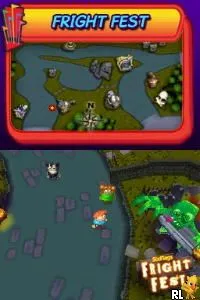
The game loads when you press Play · press “Play Now” inside the game if it asks.
Six Flags Fun Park (USA) (En,Fr)
Six Flags Fun Park
Getting to Know Six Flags Fun Park
- Nintendo DS
- Simulation
- 5· 0 votes
Six Flags Fun Park (USA) (En,Fr) is a simulation game released for the Nintendo DS. It was developed during the era when portable gaming was becoming popular, offering players a chance to engage in theme park management and mini-games. While not widely documented, it reflects the genre conventions of its time, allowing players to experience a fun park atmosphere right on their handheld device.
In this game, players manage their own amusement park, engaging in various mini-games and activities that simulate the thrill of running a theme park. Gameplay revolves around completing tasks to earn points and unlock new attractions. The structure encourages players to explore different areas of the park and engage with various rides and games, making it a lighthearted experience.
Today, Six Flags Fun Park holds a niche appeal for those who enjoy simulation games and nostalgia for the DS era. While it may not be as iconic as other titles, it offers a fun way to relive the excitement of a theme park experience. Compared to similar games, it provides a simpler, more casual gameplay loop, making it accessible for younger audiences or those looking for a laid-back gaming session.
GAME INFO
- Platform
- Nintendo DS
- Genre
- Simulation
- Players
- 1
- Region
- USA
How to play Six Flags Fun Park online
Getting started in Six Flags Fun Park involves choosing your park and diving into the various attractions available. Players will begin by exploring the park, engaging in mini-games and completing tasks to earn points. The core loop consists of managing resources, unlocking new rides, and enjoying the whimsical atmosphere of the theme park.
As the game progresses, players will encounter different challenges and opportunities to expand their park. Familiarizing yourself with the controls and the layout of the park will enhance your experience. It's important to balance your time between managing attractions and participating in games to maximize your fun and points.
CONTROLS
Controls
- Arrow Keys — D-Pad / Movement
- X — A button
- S — B button
- Z — Y button
- A — X button
- Q — L shoulder
- E — R shoulder
- Enter — Start
- V — Select
Six Flags Fun Park FAQ
Is there anything iconic or memorable about Six Flags Fun Park?
The game captures the essence of an amusement park experience, featuring various mini-games and attractions. Its lighthearted approach makes it a fun choice for casual gaming sessions.
Which regions was Six Flags Fun Park released in?
The game was primarily released in the USA and is available in both English and French versions, making it accessible to a broader audience.
Is Six Flags Fun Park exclusive to Nintendo DS or did it appear on other systems?
Six Flags Fun Park is exclusive to the Nintendo DS platform and did not see releases on other gaming systems.
You may also like
All Nintendo DS games











GAME INFO
- Platform
- Nintendo DS
- Genre
- Simulation
- Players
- 1
- Region
- USA
COMMENTS (0)
No comments yet. Be the first to share your thoughts.