The game loads when you press Play · press “Play Now” inside the game if it asks.
Rosalina and Luma
Rosalina and Luma
Inside Rosalina and Luma
- Nintendo DS
- Platformer
- Homebrew
- 5· 0 votes
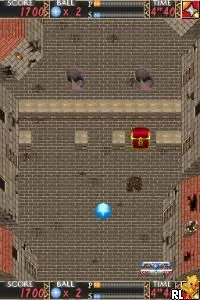
Rosalina and Luma is a fan-made game for the Nintendo DS that draws inspiration from the popular Super Mario Galaxy series. This title is not an official release but rather a creative project that showcases the beloved characters Rosalina and Luma in a new light. As a homebrew game, it reflects the growing community of developers who create unique experiences for retro platforms like the DS.
In this game, players navigate through various levels, overcoming obstacles and solving puzzles while controlling Rosalina and her companion Luma. The gameplay mechanics typically involve platforming elements, where jumping and running are essential to progress. As with many games from the Nintendo DS era, the controls are straightforward, allowing players to focus on exploration and the fun of platforming challenges.
What makes Rosalina and Luma worth trying today is its nostalgic charm and the creative reinterpretation of characters that fans love. While it may not have the polish of official titles, it offers a unique experience that evokes the spirit of classic platformers. For those who appreciate fan-made content or are nostalgic for the DS era, this game provides a delightful diversion that celebrates beloved characters in a fresh way.
GAME INFO
- Platform
- Nintendo DS
- Genre
- Platformer
How to play Rosalina and Luma online
To get started with Rosalina and Luma, players should first familiarize themselves with the controls as listed above. The game typically opens with a brief introduction, after which players can dive right into the action. The core loop involves navigating through levels, collecting items, and defeating enemies while utilizing Rosalina's abilities.
As players progress, they'll encounter various challenges that require timing and precision. It's important to explore each level thoroughly, as hidden items and power-ups can enhance gameplay. While the game may present itself in Japanese, players can rely on visual cues and familiar platforming conventions to guide them through the experience.
CONTROLS
Controls
- Arrow Keys — D-Pad / Movement
- X — A button
- S — B button
- Z — Y button
- A — X button
- Q — L shoulder
- E — R shoulder
- Enter — Start
- V — Select
Rosalina and Luma FAQ
Roughly how long does it take to finish Rosalina and Luma?
The time to finish Rosalina and Luma can vary, but it generally takes a few hours to complete, depending on the player's skill level and exploration style.
Is Rosalina and Luma exclusive to Nintendo DS or did it appear on other systems?
This title is a fan-made game specifically for the Nintendo DS and has not been officially released on any other systems.
Who developed Rosalina and Luma?
The development details for Rosalina and Luma are not widely documented, as it is a fan project rather than an official release.
You may also like
All Nintendo DS games











GAME INFO
- Platform
- Nintendo DS
- Genre
- Platformer
COMMENTS (0)
No comments yet. Be the first to share your thoughts.