The game loads when you press Play · press “Play Now” inside the game if it asks.
Robocalypse (USA)
Robocalypse
Robocalypse on NDS
- Nintendo DS
- Strategy
- 5· 0 votes
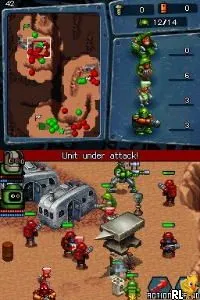
Robocalypse (USA) is a real-time strategy game released for the Nintendo DS. Developed by the German company, 49Games, it was launched in 2009. This title is notable for combining elements of strategy with a unique setting involving robots, which was somewhat of a fresh take for the platform during that era.
In Robocalypse, players engage in strategic combat where they control various robots to defeat enemy forces. The gameplay revolves around building units, gathering resources, and executing tactical maneuvers. Missions vary in objectives, from capturing bases to eliminating specific targets, and the game encourages players to think critically about their choices as they navigate through the maps.
This game is worth trying today for those who appreciate strategy titles on the DS. While it may not have the same recognition as some of its contemporaries, it offers a distinct experience with its quirky theme and solid mechanics. Fans of the genre will find it a delightful addition to their library, especially for its unique approach to real-time strategy on a handheld console.
GAME INFO
- Platform
- Nintendo DS
- Genre
- Strategy
- Publisher
- Tecmo
- Released
- 2009
- Players
- 1-4
- Region
- USA
How to play Robocalypse online
Getting started in Robocalypse involves familiarizing yourself with the basic controls and mechanics. First, players should navigate through the menus to select missions or options. The core loop consists of managing your robot units effectively, gathering resources, and executing strategies to complete mission objectives. Each mission presents unique challenges requiring different tactics to achieve victory.
As you progress, pay attention to the types of robots available and their strengths and weaknesses. Learning how to combine different units effectively will be crucial for overcoming tougher opponents. Experiment with various strategies to find what works best for you and enjoy the quirky charm that Robocalypse brings to the strategy genre.
CONTROLS
Controls
- Arrow Keys — D-Pad / Movement
- X — A button
- S — B button
- Z — Y button
- A — X button
- Q — L shoulder
- E — R shoulder
- Enter — Start
- V — Select
Robocalypse FAQ
Who developed Robocalypse?
The game was developed by 49Games, a German studio known for creating various titles across different platforms.
What makes Robocalypse stand out among Nintendo DS titles of its era?
Its unique combination of real-time strategy gameplay with a quirky robot theme sets it apart from many other titles on the platform. The game encourages strategic thinking and resource management, which was less common for handheld consoles at the time.
Is Robocalypse exclusive to Nintendo DS or did it appear on other systems?
Robocalypse was primarily released for the Nintendo DS and is not known to have been ported to other systems. It remains a unique title within the DS library.
You may also like
All Nintendo DS games











GAME INFO
- Platform
- Nintendo DS
- Genre
- Strategy
- Publisher
- Tecmo
- Released
- 2009
- Players
- 1-4
- Region
- USA
COMMENTS (0)
No comments yet. Be the first to share your thoughts.