CHOOSE A VERSION
2 versions · same consoleChoose an original release, regional version, revision, bootleg or clearly labelled ROM hack/mod, then press Play. Hacks may change the gameplay. Switching versions restarts the player.
Selected: Default · USA · USA
The game loads when you press Play · press “Play Now” inside the game if it asks.
Powerplay Tennis (USA)
Powerplay Tennis
Getting to Know Powerplay Tennis
- Nintendo DS
- Sports
- 5· 0 votes
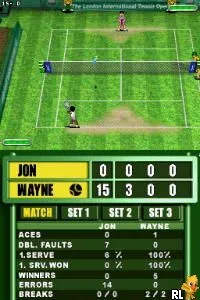
Powerplay Tennis (USA) is a sports game released for the Nintendo DS. It is a tennis simulation that allows players to engage in matches using stylus controls. The game was developed during a time when handheld gaming was becoming increasingly popular, providing a portable option for tennis fans and casual gamers alike.
In Powerplay Tennis, players take on the role of various tennis characters and compete in matches against AI opponents or friends. The gameplay involves using the DS's stylus to control shots and movements on the court. Players can perform different types of shots such as serves, volleys, and smashes, creating a dynamic experience that emphasizes timing and precision.
While Powerplay Tennis may not be as well-known as some of its competitors, it offers a solid, if straightforward, tennis experience. Its simplicity can be appealing for those looking for a quick game without the complexities found in more in-depth sports titles. Fans of retro sports games may find it a fun addition to their library, especially for nostalgic gameplay on the go.
GAME INFO
- Platform
- Nintendo DS
- Genre
- Sports
- Players
- 1-2
- Region
- USA
How to play Powerplay Tennis online
Getting started with Powerplay Tennis involves selecting your character and choosing a match type. Once in the game, you'll use the stylus for controlling your player’s movements and executing shots. Timing your inputs is crucial, as successful shots depend on hitting the ball at the right moment.
As you play, focus on mastering the different types of shots available to gain an advantage over your opponent. The core loop revolves around serving, returning, and rallying until one player wins the point. Familiarizing yourself with the controls and practicing will help improve your game significantly, so don't hesitate to replay matches to refine your skills.
CONTROLS
Controls
- Arrow Keys — D-Pad / Movement
- X — A button
- S — B button
- Z — Y button
- A — X button
- Q — L shoulder
- E — R shoulder
- Enter — Start
- V — Select
Powerplay Tennis FAQ
Is Powerplay Tennis exclusive to Nintendo DS or did it appear on other systems?
This game is exclusive to the Nintendo DS and did not release on any other platforms.
Is there anything iconic or memorable about Powerplay Tennis?
While it may not have iconic status, the game offers a straightforward tennis experience that appeals to fans of casual sports titles on the DS.
Roughly how long does it take to finish Powerplay Tennis?
Completion time can vary, but players can expect to spend a few hours mastering the game and unlocking different characters or modes.
You may also like
All Nintendo DS games











GAME INFO
- Platform
- Nintendo DS
- Genre
- Sports
- Players
- 1-2
- Region
- USA
COMMENTS (0)
No comments yet. Be the first to share your thoughts.