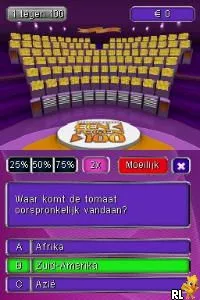
The game loads when you press Play · press “Play Now” inside the game if it asks.
Postcode Loterij Een tegen 100 (Netherlands)
Postcode Loterij Een tegen 100
Getting to Know Postcode Loterij Een tegen 100
- Nintendo DS
- Educational
- 5· 0 votes
GAME INFO
- Platform
- Nintendo DS
- Genre
- Educational
- Players
- 1
- Region
- Europe
How to play Postcode Loterij Een tegen 100 online
To get started with Postcode Loterij Een tegen 100, turn on your Nintendo DS and select the game from the menu. You will be greeted with an introduction that sets up the quiz format. Choose your player profile and get ready to answer questions.
The core gameplay involves selecting answers to trivia questions presented on the screen. You will navigate through different rounds, each with its own set of challenges. Focus on answering quickly and accurately to maximize your score. Remember to utilize the touch screen effectively for a smoother experience, as this will be crucial in higher-stakes rounds.
CONTROLS
Controls
- Arrow Keys — D-Pad / Movement
- X — A button
- S — B button
- Z — Y button
- A — X button
- Q — L shoulder
- E — R shoulder
- Enter — Start
- V — Select
Postcode Loterij Een tegen 100 FAQ
Is there anything iconic or memorable about Postcode Loterij Een tegen 100?
The game captures the essence of a beloved Dutch TV quiz show, making it memorable for fans of the series. Its trivia format and engaging questions provide a fun experience that resonates with players familiar with the show.
Is Postcode Loterij Een tegen 100 exclusive to Nintendo DS or did it appear on other systems?
This title is primarily known as a Nintendo DS game and does not have widely documented releases on other systems. Its design and gameplay are tailored specifically for the DS platform.
Is Postcode Loterij Een tegen 100 considered easy to pick up or challenging?
The game is generally easy to pick up, especially for those who enjoy trivia. However, the difficulty can vary based on the questions, which may challenge even seasoned trivia buffs.
You may also like
All Nintendo DS games











GAME INFO
- Platform
- Nintendo DS
- Genre
- Educational
- Players
- 1
- Region
- Europe
COMMENTS (0)
No comments yet. Be the first to share your thoughts.