The game loads when you press Play · press “Play Now” inside the game if it asks.
Pop Town (Europe) (En,Fr,It)
Pop Town
Pop Town on NDS
- Nintendo DS
- Puzzle
- 5· 0 votes
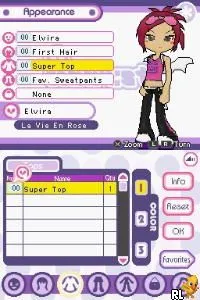
Pop Town (Europe) (En,Fr,It) is a Nintendo DS title that was released in Europe. The game falls into the puzzle genre, and while specific details about its development are not widely documented, it features a blend of engaging gameplay that is characteristic of many DS titles from that era. This game is localized in English, French, and Italian, making it accessible to a broader audience across Europe.
In Pop Town, players engage in various puzzle-based challenges that require strategic thinking and quick reflexes. The mechanics revolve around manipulating blocks or items within the game environment to solve puzzles and progress through levels. While the exact gameplay specifics may vary, players typically need to clear stages by achieving set objectives, often involving matching or arranging elements in a specific order.
This title is worth exploring for those interested in classic puzzle games on the Nintendo DS. Though it may not be as widely recognized as other franchise titles, it offers a unique experience that can appeal to fans of the genre. If you're looking for a simple yet engaging puzzle game, Pop Town could fit that niche, especially for those who appreciate the charm of retro gaming.
GAME INFO
- Platform
- Nintendo DS
- Genre
- Puzzle
- Players
- 1
- Region
- Europe
How to play Pop Town online
Getting started in Pop Town involves navigating through the initial menu, where players can choose their language and dive into the game. The core loop consists of solving puzzles by moving and arranging items on the screen to meet specific goals. Pay attention to the objectives displayed for each level, as they guide your actions and strategies.
As you play, you'll encounter different types of puzzles that may require varying approaches. Understanding the mechanics early on can significantly enhance your gameplay experience. Take your time to experiment with different strategies and enjoy the colorful visuals and engaging challenges that Pop Town has to offer.
CONTROLS
Controls
- Arrow Keys — D-Pad / Movement
- X — A button
- S — B button
- Z — Y button
- A — X button
- Q — L shoulder
- E — R shoulder
- Enter — Start
- V — Select
Pop Town FAQ
What type of game is Pop Town?
This game is a puzzle title that challenges players with various strategic and engaging mechanics. It fits well within the genre conventions typical of Nintendo DS puzzle games.
Does Pop Town have a multiplayer or co-op mode?
Information about multiplayer or co-op modes in Pop Town is not widely documented. The game primarily focuses on single-player puzzles.
Who developed Pop Town?
The developer of Pop Town is not widely documented, which makes it difficult to provide specific details about the team or individual behind its creation.
You may also like
All Nintendo DS games











GAME INFO
- Platform
- Nintendo DS
- Genre
- Puzzle
- Players
- 1
- Region
- Europe
COMMENTS (0)
No comments yet. Be the first to share your thoughts.