CHOOSE A VERSION
2 versions · same consoleChoose an original release, regional version, revision, bootleg or clearly labelled ROM hack/mod, then press Play. Hacks may change the gameplay. Switching versions restarts the player.
Selected: Default · USA · En,Fr,Es · USA
The game loads when you press Play · press “Play Now” inside the game if it asks.
Planet 51 - The Game (USA) (En,Fr,Es)
Planet 51 - The Game
Planet 51 - The Game Overview
- Nintendo DS
- Action
- 5· 0 votes
GAME INFO
- Platform
- Nintendo DS
- Genre
- Action
- Players
- 1
- Region
- USA
How to play Planet 51 - The Game online
CONTROLS
Controls
- Arrow Keys — D-Pad / Movement
- X — A button
- S — B button
- Z — Y button
- A — X button
- Q — L shoulder
- E — R shoulder
- Enter — Start
- V — Select
Planet 51 - The Game FAQ
Is there anything iconic or memorable about Planet 51 - The Game?
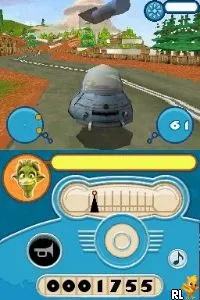
The game is notable for its colorful graphics and whimsical take on the alien theme, closely tied to the animated film's visuals. While it may not stand out in the broader gaming landscape, its charm lies in its lightheartedness and family-friendly appeal.
Is Planet 51 - The Game exclusive to Nintendo DS or did it appear on other systems?
The game was primarily released for Nintendo DS, but it also appeared on other platforms like PlayStation 3 and Xbox 360, providing different experiences across systems. Each version offers unique gameplay elements tailored to the respective hardware capabilities.
What type of game is Planet 51 - The Game?
This title falls under the action genre, featuring platforming and combat mechanics. Players engage in various missions that require agility and strategy, typical of action games from the era.
You may also like
All Nintendo DS games











GAME INFO
- Platform
- Nintendo DS
- Genre
- Action
- Players
- 1
- Region
- USA
COMMENTS (0)
No comments yet. Be the first to share your thoughts.