CHOOSE A VERSION
2 versions · same consoleChoose an original release, regional version, revision, bootleg or clearly labelled ROM hack/mod, then press Play. Hacks may change the gameplay. Switching versions restarts the player.
Selected: Default · USA · En,Fr · USA
The game loads when you press Play · press “Play Now” inside the game if it asks.
Pimp My Ride - Street Racing (USA) (En,Fr)
Pimp My Ride - Street Racing
Pimp My Ride - Street Racing Overview
- Nintendo DS
- Racing
- 5· 0 votes
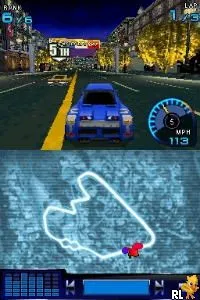
Pimp My Ride - Street Racing is a racing video game released for the Nintendo DS. It is known for its tie-in to the popular MTV show Pimp My Ride, which focused on customizing cars. The game blends racing mechanics with car customization, appealing to fans of both the show and racing games during the Nintendo DS era.
In this game, players engage in street racing while also having the ability to customize their vehicles. The gameplay involves racing against opponents on various tracks, using the DS's controls to navigate sharp turns and accelerate. Players can earn points and rewards that allow for upgrades and enhancements to their cars, making the racing experience more dynamic and engaging.
Today, Pimp My Ride - Street Racing holds a niche appeal, especially for those who enjoyed the car culture of the mid-2000s. While it may not be as celebrated as other racing titles from its time, it offers a fun blend of racing and customization that can still entertain players looking for a unique retro experience. Its connection to the MTV series adds a layer of nostalgia for fans of the show, making it a curious title in the broader context of DS racing games.
GAME INFO
- Platform
- Nintendo DS
- Genre
- Racing
- Players
- 1
- Region
- USA
How to play Pimp My Ride - Street Racing online
Getting started in Pimp My Ride - Street Racing involves selecting your vehicle and customizing it to your liking. After customizing, you will enter the racing events where you compete against AI opponents. The core loop revolves around winning races to earn rewards, which can then be reinvested into your car for further upgrades.
As you progress, focus on improving your racing skills and learning the tracks. Each race may offer different challenges, so familiarize yourself with the controls and mechanics. Upgrading your car's performance can make a significant difference, so keep an eye on available customization options as you play.
CONTROLS
Controls
- Arrow Keys — D-Pad / Movement
- X — A button
- S — B button
- Z — Y button
- A — X button
- Q — L shoulder
- E — R shoulder
- Enter — Start
- V — Select
Pimp My Ride - Street Racing FAQ
Who developed Pimp My Ride - Street Racing?
The developer of Pimp My Ride - Street Racing is not widely documented.
Is Pimp My Ride - Street Racing exclusive to Nintendo DS or did it appear on other systems?
This title is primarily known for its release on the Nintendo DS, and it did not appear on other systems.
Which regions was Pimp My Ride - Street Racing released in?
Pimp My Ride - Street Racing was released in the USA region.
You may also like
All Nintendo DS games











GAME INFO
- Platform
- Nintendo DS
- Genre
- Racing
- Players
- 1
- Region
- USA
COMMENTS (0)
No comments yet. Be the first to share your thoughts.