CHOOSE A VERSION
3 versions · same consoleChoose an original release, regional version, revision, bootleg or clearly labelled ROM hack/mod, then press Play. Hacks may change the gameplay. Switching versions restarts the player.
Selected: Default · USA · En,Fr,Es · USA
The game loads when you press Play · press “Play Now” inside the game if it asks.
Picross 3D (USA) (En,Fr,Es)
Picross 3D
Getting to Know Picross 3D
- Nintendo DS
- Puzzle
- 5· 0 votes
GAME INFO
- Platform
- Nintendo DS
- Genre
- Puzzle
- Publisher
- Nintendo
- Developer
- HAL Laboratory
- Released
- 2009
- Players
- 1
- Region
- USA
How to play Picross 3D online
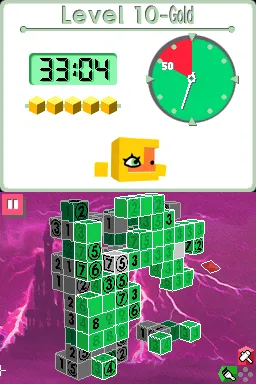
To get started in Picross 3D, select a puzzle from the main menu. Each puzzle has a unique number grid that indicates how many blocks to remove in each row and column. Begin by analyzing the clues and start eliminating blocks to reveal the hidden 3D object.
The gameplay loop involves interpreting the numerical hints, making deductions, and carefully chipping away at the blocks. As you progress, the puzzles will require more complex strategies, so take your time to think through each move. Familiarize yourself with the controls and remember to check the clues frequently to avoid mistakes.
CONTROLS
Controls
- Arrow Keys — D-Pad / Movement
- X — A button
- S — B button
- Z — Y button
- A — X button
- Q — L shoulder
- E — R shoulder
- Enter — Start
- V — Select
Picross 3D FAQ
Is Picross 3D considered easy to pick up or challenging?
The game is generally approachable, featuring a gradual difficulty curve that allows players to learn the mechanics at their own pace. However, as puzzles progress, they can become quite challenging, requiring strategic thinking and patience.
Which regions was Picross 3D released in?
Picross 3D was released in the USA and also in other regions, including Japan and Europe. Its availability in multiple regions helped it reach a broader audience.
Is Picross 3D exclusive to Nintendo DS or did it appear on other systems?
This title is exclusive to the Nintendo DS and has not been ported to other systems. Its unique gameplay mechanics were specifically designed to leverage the features of the DS platform.
You may also like
All Nintendo DS games











GAME INFO
- Platform
- Nintendo DS
- Genre
- Puzzle
- Publisher
- Nintendo
- Developer
- HAL Laboratory
- Released
- 2009
- Players
- 1
- Region
- USA
COMMENTS (0)
No comments yet. Be the first to share your thoughts.