CHOOSE A VERSION
4 versions · same consoleChoose an original release, regional version, revision, bootleg or clearly labelled ROM hack/mod, then press Play. Hacks may change the gameplay. Switching versions restarts the player.
Selected: Default · Europe · Europe
The game loads when you press Play · press “Play Now” inside the game if it asks.
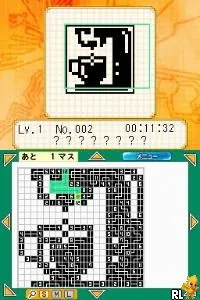
Pic Pic (Europe)
Pic Pic
Pic Pic Overview
- Nintendo DS
- Puzzle
- 5· 0 votes
GAME INFO
- Platform
- Nintendo DS
- Genre
- Puzzle
- Publisher
- 505 Games
- Developer
- Success
- Released
- 2007
- Players
- 1
- Region
- Europe
How to play Pic Pic online
CONTROLS
Controls
- Arrow Keys — D-Pad / Movement
- X — A button
- S — B button
- Z — Y button
- A — X button
- Q — L shoulder
- E — R shoulder
- Enter — Start
- V — Select
Pic Pic FAQ
Roughly how long does it take to finish Pic Pic?
The time it takes to finish Pic Pic can vary widely based on the player's skill level and the difficulty of the puzzles chosen. Typically, players can expect to spend several hours exploring the different puzzles available.
In what year was Pic Pic originally released?
The exact release year of Pic Pic is not widely documented. However, it is known that the game was primarily available in Europe for the Nintendo DS during the platform's active years.
Who developed Pic Pic?
Details about the developer of Pic Pic are not widely documented. The game appears to come from a lesser-known team, making specific information hard to ascertain.
You may also like
All Nintendo DS games











GAME INFO
- Platform
- Nintendo DS
- Genre
- Puzzle
- Publisher
- 505 Games
- Developer
- Success
- Released
- 2007
- Players
- 1
- Region
- Europe
COMMENTS (0)
No comments yet. Be the first to share your thoughts.