CHOOSE A VERSION
3 versions · same consoleChoose an original release, regional version, revision, bootleg or clearly labelled ROM hack/mod, then press Play. Hacks may change the gameplay. Switching versions restarts the player.
- Default · USA · En,Fr,De,Es,It,Nl,Sv,No,Da
- Petz - Catz - Koneko to Issho ni Tanoshiku Asobou (Japan)
- Petz - My Kitten Family (Europe) (En,Fr,De,Es,It,Nl,Sv,No,Da)
Selected: Default · USA · En,Fr,De,Es,It,Nl,Sv,No,Da · USA
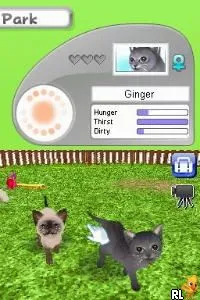
The game loads when you press Play · press “Play Now” inside the game if it asks.
Petz - Catz Clan (USA) (En,Fr,De,Es,It,Nl,Sv,No,Da)
Petz - Catz Clan
Getting to Know Petz - Catz Clan
- Nintendo DS
- Simulation
- 5· 0 votes
GAME INFO
- Platform
- Nintendo DS
- Genre
- Simulation
- Released
- 2008
- Players
- 1
- Region
- USA
How to play Petz - Catz Clan online
CONTROLS
Controls
- Arrow Keys — D-Pad / Movement
- X — A button
- S — B button
- Z — Y button
- A — X button
- Q — L shoulder
- E — R shoulder
- Enter — Start
- V — Select
Petz - Catz Clan FAQ
Is Petz - Catz Clan considered easy to pick up or challenging?
The game is generally regarded as easy to pick up, making it suitable for younger players or those new to simulation games. Its straightforward mechanics allow for a casual gaming experience without steep learning curves.
Can players save progress in Petz - Catz Clan?
Players can save their progress within the game, allowing them to return to their feline friends without losing any advancements. This feature is crucial for maintaining a connection with your pets over time.
Is there anything iconic or memorable about Petz - Catz Clan?
While it may not have iconic status, the game is memorable for its charming art style and the appeal of caring for virtual cats. It captures the essence of pet simulation games from its era, providing a lighthearted experience for fans of the genre.
You may also like
All Nintendo DS games











GAME INFO
- Platform
- Nintendo DS
- Genre
- Simulation
- Released
- 2008
- Players
- 1
- Region
- USA
COMMENTS (0)
No comments yet. Be the first to share your thoughts.