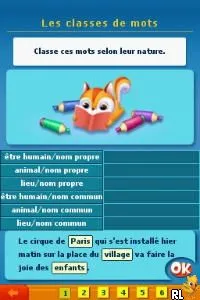
The game loads when you press Play · press “Play Now” inside the game if it asks.
Passeport du CE2 au CM1 (France)
Passeport du CE2 au CM1
Passeport du CE2 au CM1: NDS Educational
- Nintendo DS
- Educational
- 5· 0 votes
GAME INFO
- Platform
- Nintendo DS
- Genre
- Educational
- Players
- 1
- Region
- Europe
How to play Passeport du CE2 au CM1 online
To get started with Passeport du CE2 au CM1, players should first navigate through the main menu, which includes options for selecting activities or lessons. The game is designed for a gradual learning experience, so starting with the introductory exercises is recommended. As players progress, they can tackle more challenging tasks that build on previously acquired knowledge.
The core gameplay loop involves completing educational challenges that test skills in various subjects. Players will solve math problems, read comprehension exercises, and engage in vocabulary-building tasks. It's essential to pay attention to the instructions provided, as they guide the player on how to interact with the activities. Familiarity with the touchscreen controls enhances the experience, allowing for a more interactive and engaging learning environment.
CONTROLS
Controls
- Arrow Keys — D-Pad / Movement
- X — A button
- S — B button
- Z — Y button
- A — X button
- Q — L shoulder
- E — R shoulder
- Enter — Start
- V — Select
Passeport du CE2 au CM1 FAQ
Is Passeport du CE2 au CM1 considered easy to pick up or challenging?
The game is generally considered easy to pick up, especially for its target audience of young learners. Its intuitive controls and straightforward tasks make it accessible, allowing children to engage without feeling overwhelmed.
Is there anything iconic or memorable about Passeport du CE2 au CM1?
While it may not have iconic status in the broader gaming community, it is memorable for its educational focus and its role in helping children transition between important grades in the French school system. The game's commitment to learning makes it a valuable resource for parents and educators.
Is Passeport du CE2 au CM1 exclusive to Nintendo DS or did it appear on other systems?
This title appears to be exclusive to the Nintendo DS, with no widely documented releases on other platforms. Its design and controls are specifically tailored for the DS handheld experience.
You may also like
All Nintendo DS games











GAME INFO
- Platform
- Nintendo DS
- Genre
- Educational
- Players
- 1
- Region
- Europe
COMMENTS (0)
No comments yet. Be the first to share your thoughts.