The game loads when you press Play · press “Play Now” inside the game if it asks.
Osu! Tatakae! Ouendan (Japan)
Osu! Tatakae! Ouendan
Getting to Know Osu! Tatakae! Ouendan
- Nintendo DS
- Music
- 5· 0 votes
Osu! Tatakae! Ouendan is a rhythm game released for the Nintendo DS in Japan in 2005. Developed by iNiS and published by Nintendo, it features a unique blend of music and action gameplay. The title is known for its stylized presentation and engaging mechanics, making it a standout in the rhythm genre on handheld consoles.
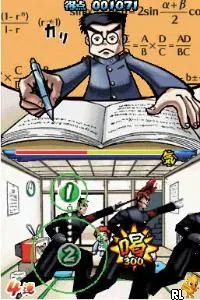
In the game, players tap, slide, and spin on the touchscreen in time with the music to help characters overcome various challenges. Each level is accompanied by a song, with visual cues displayed on the screen that indicate when and how to interact. This gameplay structure is both intuitive and rewarding, as players must react quickly to the rhythm while also following the visual prompts.
What makes Osu! Tatakae! Ouendan worth exploring today is its innovative use of the DS touchscreen and its catchy soundtrack. The game is often compared to other rhythm titles, yet it manages to carve out its own niche with its unique cultural references and vibrant art style. While it may not have had a massive global impact, it remains a beloved title among fans of rhythm games and is a great example of what the DS could offer in terms of innovative gameplay.
GAME INFO
- Platform
- Nintendo DS
- Genre
- Music
- Publisher
- Nintendo
- Developer
- iNiS
- Released
- 2005
- Players
- 1
- Region
- Japan
How to play Osu! Tatakae! Ouendan online
To get started with Osu! Tatakae! Ouendan, first navigate through the main menu, which is in Japanese. You may want to select the tutorial option to familiarize yourself with the gameplay mechanics. Once you start a level, focus on the prompts that appear on the screen, as they will guide you on how to interact with the game.
The core loop of the game involves tapping the screen in time with the music while following the visual cues. As you progress, you will encounter different challenges that require quick reflexes and a good sense of rhythm. Pay attention to the timing and accuracy of your taps, as this will affect your score. Remember, the game rewards precision and timing, so practice makes perfect!
CONTROLS
Controls
- Arrow Keys — D-Pad / Movement
- X — A button
- S — B button
- Z — Y button
- A — X button
- Q — L shoulder
- E — R shoulder
- Enter — Start
- V — Select
Osu! Tatakae! Ouendan FAQ
Who developed Osu! Tatakae! Ouendan?
The game was developed by iNiS, a studio known for its rhythm games and creative gameplay mechanics.
Does Osu! Tatakae! Ouendan have a multiplayer or co-op mode?
There is no multiplayer or co-op mode in Osu! Tatakae! Ouendan; the game is designed as a single-player experience focused on individual performance.
Can players save progress in Osu! Tatakae! Ouendan?
Players can save their progress through the game's built-in save system, allowing them to pick up where they left off after their last session.
You may also like
All Nintendo DS games











GAME INFO
- Platform
- Nintendo DS
- Genre
- Music
- Publisher
- Nintendo
- Developer
- iNiS
- Released
- 2005
- Players
- 1
- Region
- Japan
COMMENTS (0)
No comments yet. Be the first to share your thoughts.