CHOOSE A VERSION
2 versions · same consoleChoose an original release, regional version, revision, bootleg or clearly labelled ROM hack/mod, then press Play. Hacks may change the gameplay. Switching versions restarts the player.
Selected: Default · Japan · Japan
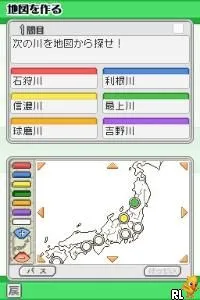
The game loads when you press Play · press “Play Now” inside the game if it asks.
Obunsha Deru-jun - Chiri DS (Japan)
Obunsha Deru-jun - Chiri DS
Obunsha Deru-jun - Chiri DS on NDS
- Nintendo DS
- Educational
- 5· 0 votes
Obunsha Deru-jun - Chiri DS is a Japanese title released for the Nintendo DS. It falls under the educational genre, designed to engage players in various learning activities. The game was developed by Obunsha, a company known for creating educational software, which adds a layer of authenticity to its educational focus.
In this game, players engage in a variety of activities aimed at enhancing their knowledge and skills. The gameplay revolves around solving puzzles and completing tasks that challenge the player's intellect and problem-solving abilities. While specific mechanics may not be widely documented, it’s common in educational titles of this era to incorporate mini-games and quizzes that make learning interactive and enjoyable.
Today, Obunsha Deru-jun - Chiri DS is worth exploring for those interested in retro educational games. Although it may not have the same recognition as some mainstream titles, it offers a unique glimpse into the educational gaming landscape of the Nintendo DS era. Fans of niche games and those looking to experience a different type of gameplay will find value in its approach to learning through gaming.
GAME INFO
- Platform
- Nintendo DS
- Genre
- Educational
- Players
- 1
- Region
- Japan
How to play Obunsha Deru-jun - Chiri DS online
Getting started with Obunsha Deru-jun - Chiri DS involves navigating through the main menu, which is presented in Japanese. Familiarizing yourself with the basic options will help you select the activities you want to engage with. A quick scan of the menu items will reveal options for different educational challenges and games.
The core gameplay loop centers around completing various tasks that test your knowledge in different subjects. Whether it's solving puzzles or answering questions, the game encourages players to think critically and improve their skills. It's beneficial to approach each task with an open mind, as the mechanics are likely designed to be both fun and educational.
CONTROLS
Controls
- Arrow Keys — D-Pad / Movement
- X — A button
- S — B button
- Z — Y button
- A — X button
- Q — L shoulder
- E — R shoulder
- Enter — Start
- V — Select
Obunsha Deru-jun - Chiri DS FAQ
Is Obunsha Deru-jun - Chiri DS exclusive to Nintendo DS or did it appear on other systems?
This title is exclusive to the Nintendo DS and did not see a release on other platforms.
Can players save progress in Obunsha Deru-jun - Chiri DS?
The game does allow players to save their progress, which is essential for educational titles that often require multiple sessions to complete.
Who developed Obunsha Deru-jun - Chiri DS?
Obunsha developed this game, focusing on creating educational content for a younger audience.
You may also like
All Nintendo DS games











GAME INFO
- Platform
- Nintendo DS
- Genre
- Educational
- Players
- 1
- Region
- Japan
COMMENTS (0)
No comments yet. Be the first to share your thoughts.