CHOOSE A VERSION
5 versions · same consoleChoose an original release, regional version, revision, bootleg or clearly labelled ROM hack/mod, then press Play. Hacks may change the gameplay. Switching versions restarts the player.
Selected: Default · USA · USA
The game loads when you press Play · press “Play Now” inside the game if it asks.
Nintendogs - Chihuahua & Friends (USA)
Nintendogs - Chihuahua & Friends
What is Nintendogs - Chihuahua & Friends?
- Nintendo DS
- Simulation
- 5· 0 votes
GAME INFO
- Platform
- Nintendo DS
- Genre
- Simulation
- Released
- 2005
- Players
- 1
- Region
- USA
How to play Nintendogs - Chihuahua & Friends online
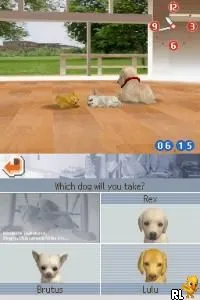
Getting started in Nintendogs - Chihuahua & Friends involves adopting your first puppy. You'll begin by selecting a dog from the available Chihuahuas and giving it a name. Once you've settled on your new companion, you'll enter the main gameplay loop of caring for it, which includes feeding, grooming, and playing.
The core mechanics revolve around interacting with your pet using the DS's touchscreen. You can train your dog to perform tricks, participate in competitions, and even socialize with other virtual pets. Regular care and attention will strengthen your bond with your Chihuahua, enhancing the overall experience as you explore the various activities available within the game.
CONTROLS
Controls
- Arrow Keys — D-Pad / Movement
- X — A button
- S — B button
- Z — Y button
- A — X button
- Q — L shoulder
- E — R shoulder
- Enter — Start
- V — Select
Nintendogs - Chihuahua & Friends FAQ
Who developed Nintendogs - Chihuahua & Friends?
The game was developed by Nintendo, known for creating many beloved franchises and innovative gaming experiences.
Is there anything iconic or memorable about Nintendogs - Chihuahua & Friends?
The game is notable for its use of the Nintendo DS's touch screen and microphone, allowing players to interact with their virtual pets in a unique way. Its charming graphics and engaging gameplay helped popularize the pet simulation genre.
Is Nintendogs - Chihuahua & Friends an official release, a fan hack, a prototype, or another kind of build?
This title is an official release from Nintendo, part of the original Nintendogs series that gained significant popularity upon its launch.
You may also like
All Nintendo DS games











GAME INFO
- Platform
- Nintendo DS
- Genre
- Simulation
- Released
- 2005
- Players
- 1
- Region
- USA
COMMENTS (0)
No comments yet. Be the first to share your thoughts.