CHOOSE A VERSION
2 versions · same consoleChoose an original release, regional version, revision, bootleg or clearly labelled ROM hack/mod, then press Play. Hacks may change the gameplay. Switching versions restarts the player.
Selected: Default · USA · USA
The game loads when you press Play · press “Play Now” inside the game if it asks.
Ni Hao, Kai-Lan - New Year's Celebration (USA)
Ni Hao, Kai-Lan - New Year's Celebration
Ni Hao, Kai-Lan - New Year's Celebration - Educational Classic
- Nintendo DS
- Educational
- 5· 0 votes
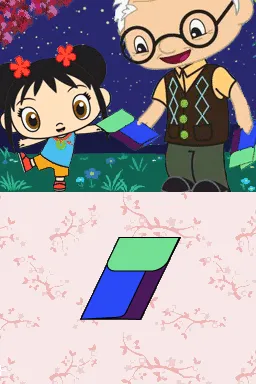
Ni Hao, Kai-Lan - New Year's Celebration is a game released for the Nintendo DS. This educational title was developed to engage younger players, drawing from the popular children's television series, Ni Hao, Kai-Lan. While specific details on the developer are not widely documented, the game fits into the educational genre, promoting cultural awareness through interactive gameplay.
In this game, players participate in various mini-games that revolve around celebrating the New Year, focusing on themes from Chinese culture. The gameplay often involves simple tasks that encourage learning and interaction, such as puzzles and rhythm-based activities. The structure is designed to be accessible for children, allowing them to learn about traditions while having fun.
This title is worth trying today for those interested in educational games or fans of the Ni Hao, Kai-Lan series. Although it may not have the depth of more complex titles, it serves as a delightful introduction to cultural themes for younger audiences. Its simple mechanics and engaging visuals make it a charming addition to a retro gaming library, especially for collectors of family-friendly games from the DS era.
GAME INFO
- Platform
- Nintendo DS
- Genre
- Educational
- Players
- 1
- Region
- USA
How to play Ni Hao, Kai-Lan - New Year's Celebration online
Getting started with Ni Hao, Kai-Lan - New Year's Celebration involves selecting a mini-game from the main menu. Players will find a variety of activities that teach about the New Year celebrations. Each game is straightforward, often requiring basic inputs to complete tasks or solve puzzles.
As you play, you'll encounter different challenges that reinforce learning through repetition and engagement. It's beneficial to explore each mini-game fully, as they often build on similar mechanics. Keep an eye out for any hints or instructions provided in-game to help navigate through the tasks effectively.
CONTROLS
Controls
- Arrow Keys — D-Pad / Movement
- X — A button
- S — B button
- Z — Y button
- A — X button
- Q — L shoulder
- E — R shoulder
- Enter — Start
- V — Select
Ni Hao, Kai-Lan - New Year's Celebration FAQ
Is Ni Hao, Kai-Lan - New Year's Celebration exclusive to Nintendo DS or did it appear on other systems?
This game was released exclusively for the Nintendo DS and did not appear on other gaming systems.
Which regions was Ni Hao, Kai-Lan - New Year's Celebration released in?
The game was released in the USA, specifically targeting the North American audience with its educational content.
Who developed Ni Hao, Kai-Lan - New Year's Celebration?
Information about the specific developer of this title is not widely documented, making it difficult to attribute it to a particular studio.
You may also like
All Nintendo DS games











GAME INFO
- Platform
- Nintendo DS
- Genre
- Educational
- Players
- 1
- Region
- USA
COMMENTS (0)
No comments yet. Be the first to share your thoughts.