CHOOSE A VERSION
3 versions · same consoleChoose an original release, regional version, revision, bootleg or clearly labelled ROM hack/mod, then press Play. Hacks may change the gameplay. Switching versions restarts the player.
Selected: Default · Mario
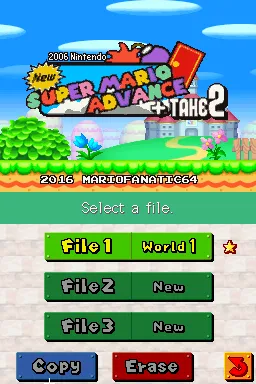
The game loads when you press Play · press “Play Now” inside the game if it asks.
New Super Mario Advance + Take 2 (Mario)
New Super Mario Advance + Take 2
What is New Super Mario Advance + Take 2?
- Nintendo DS
- Platformer
- ROM Hack
- 5· 0 votes
Unofficial ROM hack. The notes below come from community sources and have not been verified against the patch itself, so levels, mechanics and features may differ from what is described.
GAME INFO
- Platform
- Nintendo DS
- Genre
- Platformer
How to play New Super Mario Advance + Take 2 online
CONTROLS
Controls
- Arrow Keys — D-Pad / Movement
- X — A button
- S — B button
- Z — Y button
- A — X button
- Q — L shoulder
- E — R shoulder
- Enter — Start
- V — Select
New Super Mario Advance + Take 2 FAQ
What makes New Super Mario Advance + Take 2 stand out among Nintendo DS titles of its era?
The game stands out due to its fan-made nature, showcasing how the community can expand upon beloved franchises. It offers unique levels and challenges that may not be found in official titles, appealing to dedicated fans of the series.
In what year was New Super Mario Advance + Take 2 originally released?
The original release year for this title is not widely documented, making it difficult to pinpoint an exact date. As a fan-made hack, it may have been created in the years following the original Super Mario games.
Is New Super Mario Advance + Take 2 exclusive to Nintendo DS or did it appear on other systems?
This game is specifically a Nintendo DS hack and does not appear on other systems. Its design and gameplay are tailored to the capabilities and features of the DS hardware.
You may also like
All Nintendo DS games











GAME INFO
- Platform
- Nintendo DS
- Genre
- Platformer
COMMENTS (0)
No comments yet. Be the first to share your thoughts.