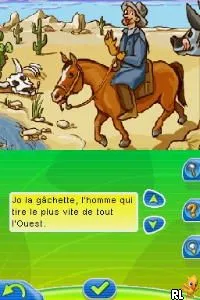
The game loads when you press Play · press “Play Now” inside the game if it asks.
Nathan Entrainement CM1 (France)
Nathan Entrainement CM1
Nathan Entrainement CM1: NDS Educational
- Nintendo DS
- Educational
- 5· 0 votes
GAME INFO
- Platform
- Nintendo DS
- Genre
- Educational
- Players
- 1
- Region
- Europe
How to play Nathan Entrainement CM1 online
To get started with Nathan Entrainement CM1, select a subject area from the main menu. Once you choose a subject, the game will present you with a series of exercises or quizzes. Answer the questions as they appear, using the touchscreen or buttons to select your responses. The core loop involves answering questions correctly to progress through various levels of difficulty.
As you play, keep an eye on the feedback provided for your answers. Incorrect responses may allow for retries, helping to reinforce learning. Familiarize yourself with the types of questions and the format to improve your performance. The game is designed to be educational, so take your time to think through each question before answering.
CONTROLS
Controls
- Arrow Keys — D-Pad / Movement
- X — A button
- S — B button
- Z — Y button
- A — X button
- Q — L shoulder
- E — R shoulder
- Enter — Start
- V — Select
Nathan Entrainement CM1 FAQ
Is there anything iconic or memorable about Nathan Entrainement CM1?
The game is notable for its focus on educational content aimed at young French learners. Its format of combining quizzes with gameplay makes it a helpful tool for reinforcing school subjects.
Which regions was Nathan Entrainement CM1 released in?
This title was released specifically in France, targeting the French educational market with content tailored for students in the CM1 grade.
Can players save progress in Nathan Entrainement CM1?
The game allows players to save their progress, enabling them to return to their learning sessions without losing their previous work. This feature is essential for managing multiple sessions effectively.
You may also like
All Nintendo DS games











GAME INFO
- Platform
- Nintendo DS
- Genre
- Educational
- Players
- 1
- Region
- Europe
COMMENTS (0)
No comments yet. Be the first to share your thoughts.