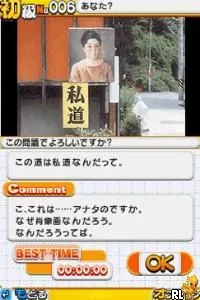
The game loads when you press Play · press “Play Now” inside the game if it asks.
Nanpure VOW (Japan)
Nanpure VOW
What is Nanpure VOW?
- Nintendo DS
- Puzzle
- 5· 0 votes
Nanpure VOW is a game that was released for the Nintendo DS in Japan. It falls under the puzzle genre, which was quite popular on handheld devices during the mid-2000s. The specifics about its developer and publisher are not widely documented, leaving some details about its creation a bit of a mystery for fans and collectors alike.
In terms of gameplay, players engage with various puzzles that challenge their problem-solving skills. The mechanics typically involve manipulating objects or solving riddles, which are common in puzzle games of this era. While the exact mechanics of Nanpure VOW are not extensively documented, players can expect a blend of logic and spatial reasoning, keeping them engaged in each level.
For those interested in retro gaming, Nanpure VOW represents a slice of the DS's diverse library. While it might not be as well-known as other titles, it offers a unique experience for puzzle enthusiasts. It may appeal to collectors and players who appreciate niche titles or are looking for something different from mainstream offerings, making it worth a try for dedicated retro gaming fans.
GAME INFO
- Platform
- Nintendo DS
- Genre
- Puzzle
- Region
- Japan
How to play Nanpure VOW online
Getting started with Nanpure VOW involves navigating through its menus, which are primarily in Japanese. Players will first encounter a main screen where they can choose to start a new game or continue from a previous save. Once in the game, the core loop typically revolves around solving various puzzles presented in a series of levels.
As you progress, be prepared to face increasingly challenging puzzles that test your logic and reasoning. While the language barrier might be a challenge, the intuitive gameplay mechanics common in puzzle games should help players find their way. Familiarizing yourself with the controls will enhance your experience, allowing you to focus on solving puzzles rather than navigating menus.
CONTROLS
Controls
- Arrow Keys — D-Pad / Movement
- X — A button
- S — B button
- Z — Y button
- A — X button
- Q — L shoulder
- E — R shoulder
- Enter — Start
- V — Select
Nanpure VOW FAQ
Who developed Nanpure VOW?
Information about the developer of Nanpure VOW is not widely documented, leaving the identity of the team behind the game a mystery.
Is Nanpure VOW considered easy to pick up or challenging?
The game generally falls into the puzzle category, which can vary in difficulty. While some puzzles may be straightforward, others could present a significant challenge, especially for those unfamiliar with the genre.
Is Nanpure VOW exclusive to Nintendo DS or did it appear on other systems?
Nanpure VOW is exclusive to the Nintendo DS, with no indications of it being released on other platforms.
You may also like
All Nintendo DS games











GAME INFO
- Platform
- Nintendo DS
- Genre
- Puzzle
- Region
- Japan
COMMENTS (0)
No comments yet. Be the first to share your thoughts.