CHOOSE A VERSION
3 versions · same consoleChoose an original release, regional version, revision, bootleg or clearly labelled ROM hack/mod, then press Play. Hacks may change the gameplay. Switching versions restarts the player.
Selected: Default · USA · USA
The game loads when you press Play · press “Play Now” inside the game if it asks.
Namco Museum DS (USA)
Namco Museum DS
Inside Namco Museum DS
- Nintendo DS
- Arcade
- 5· 0 votes
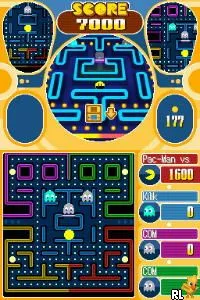
Namco Museum DS is a compilation of classic arcade games from the iconic Namco library, released for the Nintendo DS in the USA. This collection features several beloved titles, providing players with a nostalgic experience on a handheld platform. It was developed by Namco, known for their extensive catalog of arcade hits, and fits within the arcade genre that defined an era of gaming.
In this game, players can choose from various classic titles to play, including favorites like Pac-Man and Galaga. Each game retains its original mechanics, allowing players to enjoy the authentic arcade experience. The controls are adapted for the Nintendo DS, making it accessible while preserving the charm of the original arcade gameplay.
Namco Museum DS is worth trying today for those who appreciate retro gaming and want to revisit classic titles that shaped the arcade landscape. While it may not offer modern gaming complexities, its simplicity and nostalgic value make it appealing, especially for fans of the genre. Compared to other compilations of its time, it stands out for its focus on Namco's classic titles, appealing to both new players and seasoned veterans alike.
GAME INFO
- Platform
- Nintendo DS
- Genre
- Arcade
- Publisher
- Bandai Namco Entertainment
- Developer
- M2
- Released
- 2007
- Players
- 1-2
- Region
- USA
How to play Namco Museum DS online
Getting Started: To start playing Namco Museum DS, select a game from the main menu. Once you choose a title, you will be taken to the game's screen where you can begin playing immediately. Familiarize yourself with the controls, as each game may have slightly different mechanics.
The core loop involves playing through levels or rounds, aiming for high scores, and mastering the gameplay. Each game in the collection offers a unique challenge, so it’s essential to practice and learn the nuances of each title. Pay attention to power-ups, enemy patterns, and scoring opportunities to maximize your enjoyment and success.
CONTROLS
Controls
- Arrow Keys — D-Pad / Movement
- X — A button
- S — B button
- Z — Y button
- A — X button
- Q — L shoulder
- E — R shoulder
- Enter — Start
- V — Select
Namco Museum DS FAQ
Who developed Namco Museum DS?
The game was developed by Namco, a company well-known for its classic arcade titles.
Which regions was Namco Museum DS released in?
Namco Museum DS was released in the USA, showcasing a selection of Namco's classic games for handheld play.
Is Namco Museum DS exclusive to Nintendo DS or did it appear on other systems?
This title is exclusive to the Nintendo DS and was not released on any other platforms.
You may also like
All Nintendo DS games











GAME INFO
- Platform
- Nintendo DS
- Genre
- Arcade
- Publisher
- Bandai Namco Entertainment
- Developer
- M2
- Released
- 2007
- Players
- 1-2
- Region
- USA
COMMENTS (0)
No comments yet. Be the first to share your thoughts.