CHOOSE A VERSION
3 versions · same consoleChoose an original release, regional version, revision, bootleg or clearly labelled ROM hack/mod, then press Play. Hacks may change the gameplay. Switching versions restarts the player.
Selected: Default · USA · En,Fr,Es · USA
The game loads when you press Play · press “Play Now” inside the game if it asks.
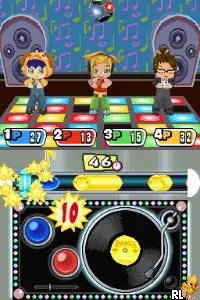
MySims - Party (USA) (En,Fr,Es)
MySims - Party
MySims - Party: NDS Simulation
- Nintendo DS
- Simulation
- 5· 0 votes
GAME INFO
- Platform
- Nintendo DS
- Genre
- Simulation
- Released
- 2009
- Players
- 1-4
- Region
- USA
How to play MySims - Party online
CONTROLS
Controls
- Arrow Keys — D-Pad / Movement
- X — A button
- S — B button
- Z — Y button
- A — X button
- Q — L shoulder
- E — R shoulder
- Enter — Start
- V — Select
MySims - Party FAQ
What makes MySims - Party stand out among Nintendo DS titles of its era?
Its focus on multiplayer mini-games differentiates it from many other titles on the DS, which often leaned towards single-player experiences. The vibrant art style and accessible gameplay make it a fun option for players of all ages.
Does MySims - Party have a multiplayer or co-op mode?
Yes, the game features multiplayer options where players can compete in mini-games together. This social aspect adds significant replay value and makes it a great choice for parties or casual gaming sessions.
Is MySims - Party an official release, a fan hack, a prototype, or another kind of build?
This title is an official release from Electronic Arts, part of the MySims franchise. It was developed specifically for the Nintendo DS, emphasizing fun and accessible gameplay.
You may also like
All Nintendo DS games











GAME INFO
- Platform
- Nintendo DS
- Genre
- Simulation
- Released
- 2009
- Players
- 1-4
- Region
- USA
COMMENTS (0)
No comments yet. Be the first to share your thoughts.