CHOOSE A VERSION
4 versions · same consoleChoose an original release, regional version, revision, bootleg or clearly labelled ROM hack/mod, then press Play. Hacks may change the gameplay. Switching versions restarts the player.
- Default · USA · En,Fr,Es
- Boku to Sim no Machi - Kingdom (Japan)
- Europe
- MySims - Simdeurui Wangguk (Korea)
Selected: Default · USA · En,Fr,Es · USA
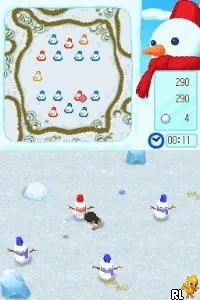
The game loads when you press Play · press “Play Now” inside the game if it asks.
MySims - Kingdom (USA) (En,Fr,Es)
MySims - Kingdom
MySims - Kingdom Overview
- Nintendo DS
- Simulation
- 5· 0 votes
MySims - Kingdom is a life simulation game developed for the Nintendo DS, released in 2009. As part of the MySims series, it offers a charming experience that combines elements of simulation and adventure gameplay. The game is known for its vibrant art style and engaging mechanics, appealing to players who enjoy creativity and social interaction in gaming.
In MySims - Kingdom, players take on the role of a customizable character tasked with building and managing a kingdom. You can design your character, engage with various townspeople, and participate in numerous activities such as crafting, building homes, and completing quests. The gameplay encourages exploration and creativity, allowing players to shape their environment and interact with a diverse cast of characters.
This title is worth trying today for those who appreciate simulation games with a whimsical touch. It captures the spirit of the era where life sims were gaining popularity, providing a unique blend of building and social interaction. While it may not be as well-known as some other titles in the genre, its charm and creativity make it a delightful experience for fans of simulation games.
GAME INFO
- Platform
- Nintendo DS
- Genre
- Simulation
- Released
- 2009
- Players
- 1
- Region
- USA
How to play MySims - Kingdom online
Getting started in MySims - Kingdom involves creating your character and diving into the vibrant world. After customizing your character, you'll find yourself in a town filled with various tasks and characters to interact with. The core gameplay loop revolves around building your kingdom, completing quests, and developing relationships with the townspeople.
As you progress, focus on gathering resources and materials to craft new items and structures. Building homes and creating a lively kingdom will unlock more opportunities for interaction and quests. Pay attention to the needs of your townspeople, as their happiness is essential for your kingdom’s growth.
CONTROLS
Controls
- Arrow Keys — D-Pad / Movement
- X — A button
- S — B button
- Z — Y button
- A — X button
- Q — L shoulder
- E — R shoulder
- Enter — Start
- V — Select
MySims - Kingdom FAQ
Who developed MySims - Kingdom?
The game was developed by Electronic Arts, a well-known company in the gaming industry.
Is MySims - Kingdom exclusive to Nintendo DS or did it appear on other systems?
MySims - Kingdom was primarily released for the Nintendo DS, but it also appeared on the Wii, offering a different gameplay experience.
Is there anything iconic or memorable about MySims - Kingdom?
The game is notable for its colorful art style and the ability to customize both characters and environments, which resonated with fans of simulation games.
You may also like
All Nintendo DS games











GAME INFO
- Platform
- Nintendo DS
- Genre
- Simulation
- Released
- 2009
- Players
- 1
- Region
- USA
COMMENTS (0)
No comments yet. Be the first to share your thoughts.