CHOOSE A VERSION
2 versions · same consoleChoose an original release, regional version, revision, bootleg or clearly labelled ROM hack/mod, then press Play. Hacks may change the gameplay. Switching versions restarts the player.
Selected: Default · USA · En,Fr,Es · USA
The game loads when you press Play · press “Play Now” inside the game if it asks.
My Baby - First Steps (USA) (En,Fr,Es)
My Baby - First Steps
Getting to Know My Baby - First Steps
- Nintendo DS
- Simulation
- 5· 0 votes
GAME INFO
- Platform
- Nintendo DS
- Genre
- Simulation
- Players
- 1
- Region
- USA
How to play My Baby - First Steps online
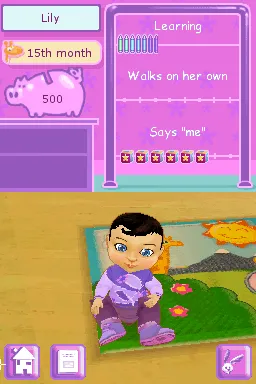
To get started in My Baby - First Steps, you will first need to create your virtual baby by selecting its appearance and name. Once your baby is created, the core loop revolves around fulfilling its needs and engaging in various activities like feeding, playing, and changing diapers. Pay attention to the baby's cues, as they will indicate what it needs at any given moment.
The game encourages players to participate in mini-games that simulate different aspects of baby care. Completing these tasks successfully will help your baby grow and develop. Familiarize yourself with the mini-games early on, as they are crucial for maintaining your baby's happiness and health throughout the game.
CONTROLS
Controls
- Arrow Keys — D-Pad / Movement
- X — A button
- S — B button
- Z — Y button
- A — X button
- Q — L shoulder
- E — R shoulder
- Enter — Start
- V — Select
My Baby - First Steps FAQ
Who developed My Baby - First Steps?
The developer information is not widely documented for this title, so specifics about the development team are unclear.
Is there anything iconic or memorable about My Baby - First Steps?
The game is memorable for its unique approach to baby simulation, providing a casual experience that appeals to younger audiences and those interested in nurturing games.
Roughly how long does it take to finish My Baby - First Steps?
Completion time can vary widely based on player engagement, but it is generally considered a casual game that can be played in shorter sessions rather than having a defined end.
You may also like
All Nintendo DS games











GAME INFO
- Platform
- Nintendo DS
- Genre
- Simulation
- Players
- 1
- Region
- USA
COMMENTS (0)
No comments yet. Be the first to share your thoughts.