CHOOSE A VERSION
2 versions · same consoleChoose an original release, regional version, revision, bootleg or clearly labelled ROM hack/mod, then press Play. Hacks may change the gameplay. Switching versions restarts the player.
Selected: Default · USA · En,Fr,Es · USA
The game loads when you press Play · press “Play Now” inside the game if it asks.
My Baby - Boy (USA) (En,Fr,Es)
My Baby - Boy
Inside My Baby - Boy
- Nintendo DS
- Simulation
- 5· 0 votes
GAME INFO
- Platform
- Nintendo DS
- Genre
- Simulation
- Players
- 1
- Region
- USA
How to play My Baby - Boy online
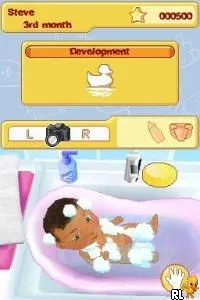
Getting started with My Baby - Boy involves selecting your virtual baby and customizing its appearance. The game will guide you through initial tasks, which include feeding, playing, and caring for your baby. Engaging with the baby is crucial, as it influences its development and happiness.
The core loop revolves around managing the baby's needs and responding to its activities. Players will find themselves repeating care routines, which can be both satisfying and a little repetitive. Keeping an eye on the baby's mood and health metrics will help in ensuring a positive experience throughout the game.
CONTROLS
Controls
- Arrow Keys — D-Pad / Movement
- X — A button
- S — B button
- Z — Y button
- A — X button
- Q — L shoulder
- E — R shoulder
- Enter — Start
- V — Select
My Baby - Boy FAQ
Who developed My Baby - Boy?
The developer for My Baby - Boy is not widely documented.
What type of game is My Baby - Boy?
It is a life simulation game that focuses on caring for and nurturing a virtual baby boy.
Is My Baby - Boy exclusive to Nintendo DS or did it appear on other systems?
My Baby - Boy is primarily known as a Nintendo DS title and does not have a widely documented presence on other systems.
You may also like
All Nintendo DS games











GAME INFO
- Platform
- Nintendo DS
- Genre
- Simulation
- Players
- 1
- Region
- USA
COMMENTS (0)
No comments yet. Be the first to share your thoughts.